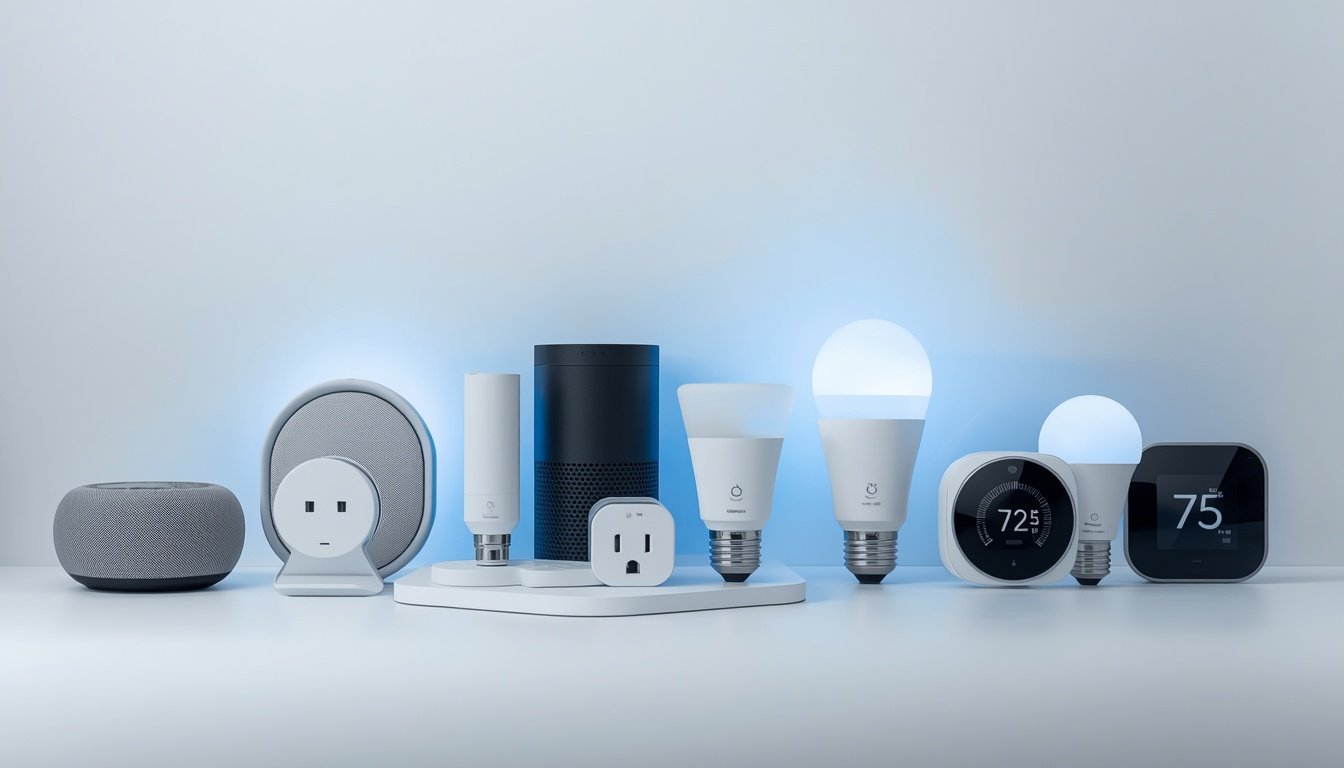
Smart home tech has a reputation problem: people imagine thousand-dollar systems, complex installations, and gadgets that stop working when the Wi-Fi hiccups. The reality in 2026 is much friendlier. You can start with a single $25 device, no technical skills required, and build gradually. The trick is starting with devices that solve real problems rather than buying tech for tech’s sake. Here are the best smart home devices for beginners — the ones worth buying first, and the ones to skip until later.
Start Here: The Beginner’s Big Three
These three deliver the most daily value for the least money and hassle:
1. Smart speaker / display ($30–$100)
An Echo Dot, Nest Mini, or similar is the command center for everything else. Voice control for lights, timers, weather, music, and routines. Start here because every other device gets more useful when you can control it by voice. The display versions (Echo Show, Nest Hub) add video doorbell feeds and visual info — worth the extra $40 if you have cameras.
2. Smart bulbs ($10–$25 each)
The perfect first smart device: unscrew old bulb, screw in smart bulb, connect via app. Start with 2–3 in the rooms you use most. What they actually do for you: dimming without dimmer switches, schedules (lights on before you get home), warm-to-cool temperature adjustment, and “away” randomization for security. Philips Hue is the premium pick; the budget brands work fine for beginners.
3. Smart plug ($10–$25)
Makes any “dumb” device smart: lamps, fans, coffee makers, Christmas lights. Schedules, remote control, voice control, energy monitoring on some models. The highest versatility-per-dollar in smart home tech. Buy a 4-pack — you’ll use them all.
Total starter investment: under $100. That’s a complete, useful smart home foundation.
Level Two: High-Value Additions
Once the basics click, these are the next best buys:
- Video doorbell ($60–$150): See who’s at the door from anywhere, get package delivery alerts, deter porch pirates. The most universally-loved smart device among homeowners I know. Requires decent Wi-Fi at the front door.
- Smart thermostat ($130–$250): Learns your schedule, saves 8–15% on heating/cooling, controllable from bed. One of the few smart devices with a real financial payback — see our energy upgrade guide. Check for utility rebates first ($50–$100 off is common).
- Smart lock ($150–$250): Keyless entry, temporary codes for guests/dog walkers, auto-lock so you never wonder “did I lock the door?” again. Get one with a physical key backup.
- Robot vacuum ($200–$400): Not strictly “smart home,” but app-controlled scheduling makes floors maintain themselves. Life-changing for pet owners.
Pick ONE Ecosystem (This Matters)
The beginner mistake is buying a random mix: a Google speaker, an Alexa plug, a HomeKit lock. They’ll technically work, but managing three apps is miserable. Pick one platform — Alexa, Google Home, or Apple HomeKit — and buy compatible devices. The Matter standard (supported by all three now) is making cross-compatibility better, but single-ecosystem is still smoothest for beginners. Check the box for “Works with [your platform]” before buying anything.
What Beginners Should Skip (For Now)
- Smart refrigerators and gimmicky appliances — expensive, and the “smart” features age badly while the appliance lasts 15 years
- Whole-home audio systems — great, but start with one smart speaker first
- Smart blinds — wonderful but pricey ($200–$400/window); a level-three purchase
- Anything requiring electrical work (smart switches, wired cameras) until you’re comfortable — or hire it out. Our ceiling fan safety guide covers the electrical caution mindset.
- Cheap no-name brands with sketchy apps — stick to established brands for anything security-related (locks, cameras)
Privacy and Security Basics
Smart devices are network devices — treat them accordingly:
- Use a guest Wi-Fi network for smart devices if your router supports it (isolates them from your computers)
- Unique passwords on every smart home account + two-factor authentication
- Update firmware when prompted — most updates are security fixes
- Review voice assistant privacy settings (you can auto-delete recordings)
- Buy from brands with a track record — they’ll still be patching vulnerabilities in 3 years
Automations: Where Smart Homes Get Magical
Individual smart devices are convenient; automations (routines) are where it gets delightful. Start simple: a “Good morning” routine that turns on bedroom lights gradually, starts the coffee maker (via smart plug), and reads the weather. A “Goodnight” routine that locks the doors, turns off all lights, and sets the thermostat back. A “Leaving home” routine that turns everything off and arms the doorbell camera alerts.
The trick is starting with routines tied to things you already do — waking, leaving, returning, sleeping — rather than inventing new behaviors. And keep them simple at first: 2–3 actions each. You can chain complexity later, but a routine that fails mysteriously gets abandoned. Test each routine manually before relying on it (nothing like discovering your “goodnight” routine didn’t lock the door).
Presence-based automation (lights on when you arrive, off when everyone leaves) is the next level — it requires your phone’s location or presence sensors, and it’s genuinely magical when dialed in. Start with time-based routines; graduate to presence when you’re comfortable. For product recommendations at every level, Wirecutter’s smart home guides are the most thoroughly tested reviews in the business.
When Smart Devices Misbehave (Troubleshooting Basics)
Smart home gear glitches — here’s the 2-minute fix sequence that resolves 90% of issues. 1. Check the Wi-Fi — most “broken” devices are just disconnected; reboot your router first. 2. Power-cycle the device — unplug 10 seconds, plug back in. 3. Check the app for firmware updates or service outages. 4. Re-link the skill/integration if voice control specifically fails.
Placement matters: devices at the edge of Wi-Fi range drop constantly — a $25 mesh node or extender near smart locks and doorbells prevents most connectivity headaches. And 2.4 GHz vs 5 GHz: many smart devices only use 2.4 GHz; if your router merged the bands, temporarily splitting them during setup solves most pairing failures.
The Bottom Line
The best smart home devices for beginners: a smart speaker, a few smart bulbs, and smart plugs — under $100 total, 30 minutes to set up, genuinely useful from day one. Then add a video doorbell, smart thermostat, or smart lock as needs arise, all within one ecosystem. Start small, solve real annoyances, and ignore the hype gadgets. The goal isn’t a futuristic house — it’s a house where the lights are on when you get home and the door locks itself behind you. For family-friendly tech that goes further, these pair well with the safety upgrades in our childproofing guide.