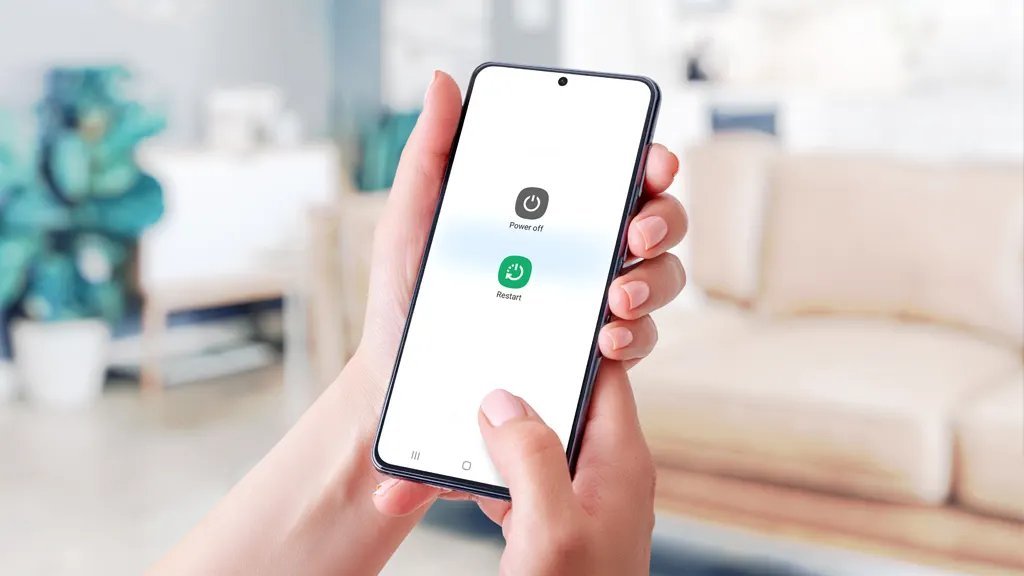
Here’s a refreshingly simple tech question with a refreshingly simple answer: restarting your smartphone about once a week is plenty for most people. Modern iOS and Android are excellent at managing themselves — the days of needing daily reboots died with 2012-era Android.
But “you don’t need to” and “it never helps” are different things. There are specific moments when a restart is exactly the right fix, and a few myths worth killing. Here’s the full picture.
The Honest Answer: Weekly Is Plenty
Both iOS and Android now handle memory management, cache cleanup, and background processes automatically and well. Your phone isn’t a Windows 98 machine slowly filling with cruft — the OS aggressively suspends, compresses, and kills background tasks on its own.
So why restart weekly at all? Because reality isn’t perfect:
- App updates sometimes leave old processes running alongside new ones
- Memory leaks in poorly-coded apps accumulate over days
- Network stacks (wifi/cellular/Bluetooth) occasionally get into weird states
- Small temporary-file buildup clears on reboot
A weekly restart — say, Sunday night while you plug in — clears all of this in 60 seconds. It’s maintenance, like stretching: not critical, but you feel the difference. More often than weekly? Unnecessary for 95% of users. Your phone doesn’t need a daily reboot any more than your refrigerator does.
Signs Your Phone Needs a Restart RIGHT NOW
Forget the schedule — restart immediately when you see these:
- Apps crashing or freezing repeatedly — especially if multiple apps misbehave (one crashing app is the app’s fault; everything crashing is the system’s)
- The phone is hot and sluggish with no obvious cause — a runaway background process is likely, and a reboot kills it instantly
- Wifi/cellular/Bluetooth acting weird — connected but no internet, Bluetooth refusing to pair, calls dropping. The radio stack reboot (airplane mode toggle does this too) fixes an amazing amount
- Battery draining unusually fast today — same runaway-process logic as the heat issue; our overnight-drain guide covers the deeper diagnosis
- Camera, GPS, or sensors misbehaving — black camera viewfinder, GPS stuck, auto-rotate dead. These are hardware-driver glitches a reboot almost always clears
- Just installed a major OS update — always reboot after, even if it doesn’t ask. Trust me.
My diagnostic rule: if two unrelated things are broken at once, reboot first, investigate second. It resolves a solid third of weird phone behavior.
Restart vs. Shut Down vs. Reset: Know the Difference
People mix these up, and the distinction matters:
- Restart/Reboot: turns the OS off and back on. Clears memory, restarts all processes. This is the fix-it tool. (iPhone: volume up, volume down, hold side button — or Settings → General → Shut Down, then power on.)
- Shut down (powered off for a while): same as restart, plus the hardware fully powers down. Marginally “deeper” — worth doing if a plain restart didn’t fix it. Leave it off 30 seconds.
- Force restart: the button-combo hard reboot when the screen is frozen and nothing responds. Doesn’t delete anything — it’s just a forced reboot. Learn your model’s combo before you need it.
- Factory reset: NOT the same thing at all — this erases everything. Never do this as “a bigger restart.” Only for selling the phone or as a last-resort fix with a full backup.
The amount of people who’ve factory-reset when they meant to restart… back up your phone, folks. Here’s how, free.
Myths About Restarting (and Charging, While We’re Here)
- “You must close all apps before restarting.” Nope. The OS handles it. Force-closing 30 apps first is pure ritual.
- “Restarting daily extends battery life.” No evidence for this. Battery health is about charge habits and heat — not reboot frequency. A restart can fix abnormal drain (killing a runaway process), but routine reboots don’t slow chemical aging.
- “Leave it off overnight to ‘rest’ the battery.” The battery doesn’t rest — it’s chemistry, not a muscle. Powered off, it self-discharges slightly; powered on with Do Not Disturb, it uses slightly more. Neither meaningfully affects lifespan.
- “A restart fixes a dying battery.” Sadly no. If your phone dies at 30%, that’s hardware — these are the actual signs — and no amount of rebooting revives worn chemistry.
The unifying theme: restarts fix software states, not hardware problems. Glitchy? Reboot. Physically dying battery, cracked screen, broken button? Reboot all you want — call a repair shop.
The 60-Second Weekly Phone Tune-Up
Since you’re restarting weekly anyway, pair it with this 60-second routine:
- Check for OS updates while the phone reboots (install if waiting — updates patch security holes)
- Glance at battery usage — any app with absurd background time gets restricted (the full drain-fix guide)
- Clear out the obvious junk — screenshots you’ll never look at, downloaded files, the 47 Chrome tabs
- Check storage — if you’re under 3 GB free, the “storage almost full” playbook applies
That’s it. Sixty seconds, once a week, while your coffee brews. Your phone stays fast, your battery stats stay honest, and you catch small problems before they become “why is my phone like this” problems. Boring maintenance beats exciting troubleshooting every time. Apple’s official restart guide covers the button combos per model if you need them.
Keep Reading
If this was useful, you might also like the full drain-fix guide and battery replacement signs.
The Bottom Line
Restart weekly; reboot immediately when things act weird. Modern phones self-manage well enough that daily restarts are pointless ritual, but a weekly reboot plus a 60-second checkup prevents the slow accumulation of glitches. Remember: restarts fix software states, not hardware — and learn your model’s force-restart combo before the day the screen freezes.
Frequently Asked Questions
Is it bad to never restart my phone?
Not dangerous, but you’ll accumulate minor glitches over weeks — sluggishness, weird connectivity, apps misbehaving. A weekly restart prevents all of it for 60 seconds of effort. There’s no downside to rebooting.
Does restarting delete anything?
No — restart, shut down, and force restart never delete data. Only ‘factory reset’ / ‘erase all content’ does that, and it warns you repeatedly first. Reboot with confidence.
Why is my phone still slow after restarting?
Then it’s not a temporary software state — likely culprits are full storage, an aging battery (which causes throttling), too many background apps, or simply an old phone. Restarting can’t fix hardware limits.