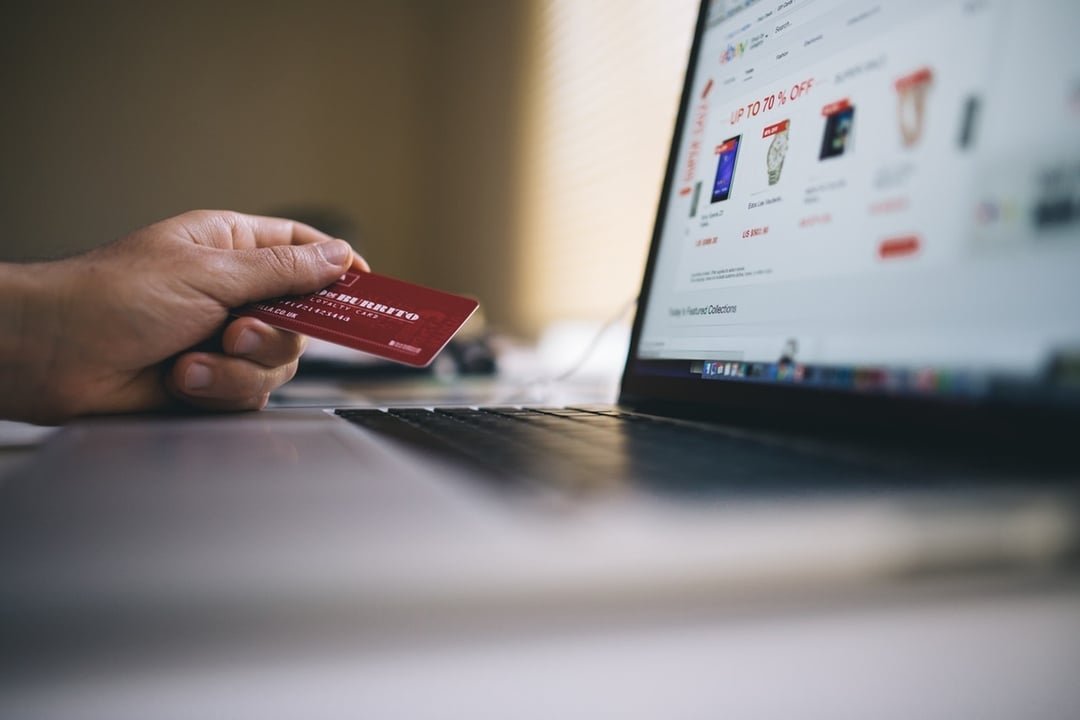
That too-good-to-be-true deal on a site you’ve never heard of — how can you tell if a website is safe to shop on? Run this 60-second checklist: HTTPS padlock, real contact info and returns policy, verifiable reviews off the site, and prices that aren’t absurdly low. Pass all four and you’re probably fine; fail any and walk away.
I’ve shopped on hundreds of sites and been burned exactly once (a lesson I now share freely). Here’s how to spot the fakes before they spot you.
The 60-Second Safety Checklist
- 1. HTTPS + padlock: the URL must start with https:// and show a padlock. Table stakes in 2026 — but note it only means the connection is encrypted, not that the business is legit. Scammers have HTTPS too.
- 2. Real contact info: a physical address, phone number, and email. “Contact us via this form only” with no address is a red flag. Google the address — real business or parking lot?
- 3. Returns/refund policy: legitimate stores have one, clearly linked. No policy means walk away.
- 4. Prices that make sense: 10-30% off retail is a sale. 70-90% off a current product is a scam or counterfeit. Nobody sells $300 headphones for $39 legitimately.
- 5. Domain age: check whois — a “store” registered 3 weeks ago selling designer goods is a trap, not a store.
- 6. No desperation design: rampant typos, stolen product photos, screaming countdown timers — scam sites have a recognizable aesthetic.
Verify Reputation OFF the Site (Critical Step)
Reviews on the site are meaningless — scammers write their own. Check instead:
- Trustpilot / Sitejabber / BBB: search “[sitename] reviews” and “[sitename] scam.” A pattern of “never received item” complaints is decisive.
- Reddit: deal communities are ruthless scam detectors — search the site name there.
- No reviews anywhere? For a site claiming thousands of happy customers, zero independent footprint is itself the review.
- Social media history: real businesses have years of posts and real engagement. A page created last month with 12 followers isn’t it.
My rule: no independent reviews = no purchase, unless I can verify the brand through other channels (physical stores, Amazon presence, manufacturer dealer lists).
Payment Safety: How You Pay Matters as Much as Where
- Credit card — safest. Federal law caps fraud liability at $50 (most issuers make it $0), and chargebacks reverse scam charges. Always prefer credit over debit online.
- PayPal / Apple Pay / Google Pay — very safe. The merchant never sees your card number, and buyer protection covers non-delivery.
- Debit card — risky. It’s your money leaving your account, and recovery is slower. Avoid for unfamiliar sites.
- Wire transfer, Zelle, gift cards, crypto — NEVER. Any site requesting these is a scam, full stop. No exceptions.
- Virtual card numbers (many banks, or Privacy.com) generate single-use numbers — useless to thieves afterward. Excellent for unfamiliar stores.
The payment test is almost diagnostic: legit sites take credit cards; scam sites push irreversible payments.
Red Flags That Mean ‘Close the Tab’
- Prices 70%+ below everywhere else on current products
- Only payment via wire, gift cards, crypto, or Zelle
- No physical address, no phone, no returns policy
- Domain registered in the last few months
- Contact email is a Gmail/Yahoo address (real businesses use their domain)
- The deal arrived via unsolicited text, social media ad, or DM — scam stores advertise almost exclusively this way
- “As seen on Shark Tank” badges with no links
Two or more red flags = don’t buy. Trust the checklist over the craving — scams rely on you skipping the 5 minutes of checking.
If You Already Ordered From a Shady Site
- Immediately: call your card issuer — you can often stop or dispute the charge. Monitor for additional charges.
- Watch for follow-up scams: fake “shipping fee” emails or phishing posing as the store. They have your email and address now.
- Change reused passwords (password strategy) and watch for compromised-email signs.
- Report it: reportfraud.ftc.gov (FTC) and ic3.gov (FBI). Reports aggregate into enforcement — the FTC’s shopping-scam page has the full process.
The good news: credit card plus fast action means you’re almost certainly made whole. The 60-second check next time saves the whole ordeal.
Shopping Safely on Mobile Apps and Social Media
The website checklist above covers browsers — but most scam shopping now happens in apps and DMs:
- Social media shops (Instagram/TikTok/Facebook): check how long the account has existed, whether comments are disabled (scam shops disable them), and if the “brand” has any presence outside that one account. Never buy via DM payment — use the platform’s official checkout with buyer protection.
- Third-party marketplace sellers (Amazon/eBay/Walmart): check the seller’s rating, not just the product rating. A 4.8-star product from a 2-week-old seller with 3 reviews is a gamble. Prefer “Sold by Amazon” or established sellers.
- App-only stores: check the app’s reviews in the App Store/Play Store — scam shopping apps accumulate “never received item” reviews fast. Also check the developer name and website link.
- Live-shopping streams: fun, but verify the seller’s history and return policy before the countdown timer pressures you. Screenshot the product claims — you’ll need them for disputes.
- Payment inside apps: same rules — credit card or platform-protected checkout. If a social seller asks you to Zelle or Cash App them directly, that’s the entire red flag parade in one request.
The core principle never changes: verify independently, pay reversibly. Platforms with buyer protection (Amazon, eBay, Etsy, PayPal-backed checkouts) exist precisely because strangers on the internet can’t be trusted on vibes.
Keep Reading
If this was useful, you might also like password strategy and compromised-email signs.
The Bottom Line
Before buying from an unfamiliar site: confirm HTTPS, real contact info plus returns policy, sane prices, and independent reviews off the site. Pay by credit card or PayPal only — never wire, gift cards, or crypto. Two red flags means close the tab. The 60-second check is the cheapest insurance in e-commerce.
Frequently Asked Questions
Does the padlock icon mean a site is safe?
No — it only means the connection is encrypted. Scam sites routinely have HTTPS now since certificates are free. The padlock is necessary but nowhere near sufficient.
Are social media ads for stores usually scams?
A disproportionate share are — scammers love Instagram/TikTok/Facebook ads because they’re cheap and targetable. Never buy directly from an ad without independently verifying the store.
What should I do if a site stole my card number?
Call your card issuer immediately to freeze/replace the card and dispute charges — you’re protected (max $50 liability by law, usually $0). Consider virtual card numbers for future unfamiliar purchases.