
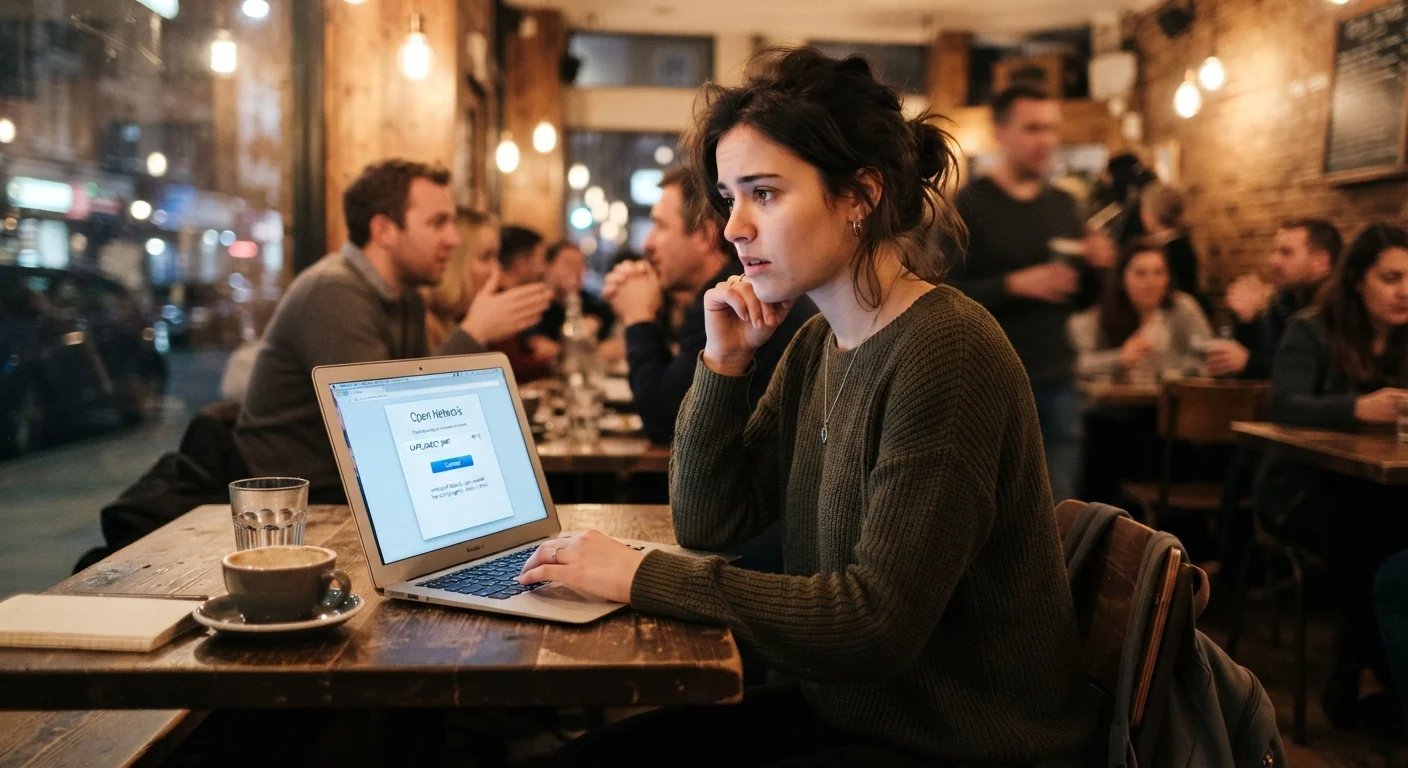
Is it safe to use public wifi at coffee shops? The honest 2026 answer: safer than its reputation, but not fully safe. Widespread HTTPS encryption means the old “someone reads all your traffic” nightmare is largely dead — but public wifi still has real risks (fake hotspots, unencrypted sites, session hijacking), and a few simple habits neutralize nearly all of them.
I work from coffee shops regularly, so this isn’t theoretical. Here’s the actual threat landscape and the practical playbook.
What the Risks Actually Are in 2026
- Mostly solved: passive snooping. ~95% of web traffic is now HTTPS-encrypted — the padlock era worked. Someone sniffing coffee-shop wifi sees which sites you visit (via DNS/SNI), not what you do on them. Your Gmail content, passwords, and banking details are encrypted in transit.
- Still real: evil-twin hotspots. An attacker sets up “CoffeeShop_FreeWiFi” next to the real “CoffeeShop WiFi.” Connect to theirs and they control your traffic — can strip encryption, inject malware, harvest logins. This is the #1 public-wifi threat today.
- Still real: unencrypted traffic. Some apps and sites still use plain HTTP. On public wifi, assume anything not-HTTPS is postcards, not letters.
- Mostly overblown: “firesheep” session hijacking. Modern session cookies are Secure/HttpOnly flagged — the 2010-era attack doesn’t work on major sites anymore.
- Underrated: shoulder surfing. The person behind you reading your screen is a bigger real-world risk than any hacker. Privacy screens ($20–$30) exist for a reason.
The 6 Habits That Make Public WiFi Safe
- 1. Verify the network name with staff. Ask “what’s your wifi called?” — defeats evil twins instantly. Never join a lookalike (“CoffeShop_WiFi” vs “CoffeeShop_WiFi”).
- 2. Use a VPN. The single best defense — encrypts everything between you and the VPN server, making evil twins and snooping irrelevant. Reputable options: Mullvad, Proton VPN (free tier available), IVPN (~$5–$10/month). Enable the kill switch so traffic never leaks if the VPN drops.
- 3. Keep HTTPS in mind: check for the padlock on sensitive sites; modern browsers warn on HTTP — heed the warning.
- 4. Turn off auto-join. Phone Settings → wifi → turn off “Ask to Join”/auto-join for open networks. Your phone silently joining “Free_WiFi” hotspots as you walk around is how evil twins catch people.
- 5. Forget the network when you leave. Otherwise your phone broadcasts “hey, is CoffeeShop_WiFi here?” forever — trackable and evil-twin-able.
- 6. Keep 2FA on everything (the usual sermon) — even if a password were intercepted, 2FA blocks the login.
What About Banking and Sensitive Stuff?
The question everyone asks: can I check my bank on coffee-shop wifi?
With a VPN on: yes, comfortably. Without a VPN: yes, with caveats — your bank’s app uses HTTPS with certificate pinning (it refuses to talk to imposters), so the connection itself is safe. The residual risks are evil-twin DNS manipulation and shoulder surfing, both manageable (verify network name, privacy screen, don’t bank with an audience).
My personal rule: VPN on = do anything. VPN off = browsing and email fine; banking can wait 20 minutes. It’s not that banking without VPN is dangerous — it’s that the VPN removes the question entirely, and I have better things to think about. One exception: never do sensitive stuff on a network that required sketchy software — if the “wifi” asked you to install a profile or app, that’s not wifi, that’s a trap.
Phone Hotspot vs. Coffee Shop WiFi
Honestly? Your phone’s hotspot is safer than any public wifi — it’s your own encrypted cellular connection, no strangers on the network. Consider it when:
- Doing anything financial and the VPN isn’t cooperating
- The coffee shop wifi is suspiciously sketchy (no password, weird portal)
- You need guaranteed speed (hotspots are often faster than shared cafe wifi)
Downsides: burns phone battery and mobile data. Most US plans include generous hotspot allowances now (check yours — many offer 30–50 GB). For a 2-hour work session, you’ll use ~1–2 GB. I hotspot for sensitive tasks and use cafe wifi (with VPN) for heavy browsing — best of both.
The Hotel/Airport WiFi Addendum
Same rules, amplified — hotels and airports are higher-value targets (travelers, valuable data, captive portals):
- Captive portals (the “enter email to connect” page) are normal — but never enter real credentials beyond what’s needed, and beware portals asking for excessive info.
- VPN is even more important here — hotel networks are notoriously insecure, sometimes with room-number-based passwords shared by hundreds.
- For work travel: if your company provides a VPN, use it — it’s also how you reach internal resources. If not, your personal VPN covers the security part.
- Smart TVs and streaming sticks on hotel wifi: logging into Netflix on a hotel TV is how accounts get left behind — always log out, or better, bring a travel router / use your own Fire Stick.
Bottom line across all public networks: verify the network, VPN on, auto-join off, forget when done. Four habits, thirty seconds, and coffee-shop wifi goes from “risky” to “routine.” CISA’s travel security tips cover the broader picture.
Keep Reading
If this was useful, you might also like two-factor authentication and antivirus basics.
The Bottom Line
Coffee-shop wifi is reasonably safe in 2026 thanks to HTTPS — but use it wisely: verify the network name with staff (beats evil twins), run a VPN with kill switch (beats everything else), turn off auto-join, and forget the network when you leave. Phone hotspot for the truly sensitive stuff. Four habits, and public wifi becomes a non-issue.
Frequently Asked Questions
Can people see what I’m doing on public wifi?
They can see which sites you visit (not the content) unless you’re on a VPN, which hides even that. With HTTPS, your passwords, messages, and page contents are encrypted. A VPN makes it all invisible.
Is a free VPN safe for public wifi?
From reputable providers (Proton VPN’s free tier), yes. From random free VPN apps, no — many log and sell your data, which defeats the purpose. If it’s free and you’ve never heard of the company, you’re the product.
Should I ever do banking on public wifi?
With a VPN: yes, no concerns. Without: the bank app’s encryption still protects you, but verify the network name first and mind shoulder-surfers. When in doubt, hotspot from your phone instead.





One Comment