Concert photos are tricky: dark venues, moving subjects, flashing lights, and (often) a strict no-professional-camera policy. But some of the best concert shots come from phones, not DSLRs — it’s about technique, not gear. Here’s the best way to take great photos at concerts, whether you’re in the front row or the nosebleeds.
Before the Show: Settings and Prep
- Know the camera policy: most venues allow phones but ban “professional” cameras (usually defined as detachable lenses). Check the venue’s policy before bringing gear — getting turned away at the door with a DSLR is miserable.
- Charge fully + bring a battery pack: concert shooting drains batteries fast (screen brightness max, constant shooting). A dead phone mid-headliner is a tragedy.
- Clear storage: 4K video and burst photos eat gigabytes. Clear space beforehand.
- Turn off the flash: permanently, for concerts. Phone flash reaches about 10 feet — useless for the stage — and it’s distracting to everyone. Flash off, always.
- Clean your lens: pocket lint on the lens = hazy photos. Wipe it before the show. This one tip improves more concert photos than any setting.
Phone Camera Settings That Matter
- Night mode: use it — modern night modes are excellent for concert lighting. Hold steady for the 2-3 second exposure; brace against a seat or railing.
- Exposure: tap the subject to focus, then drag the exposure down slightly. Concert lighting fools auto-exposure into overexposing; dialing it back preserves the dramatic lighting and color.
- Zoom: use optical zoom only (2x/3x/5x depending on your phone). Digital pinch-zoom destroys quality — if you’re too far for optical zoom, accept the wide shot.
- Burst mode: hold the shutter for bursts during peak moments (guitar solos, jumps, confetti). Moving subjects + low light = most shots will blur; bursts give you options.
- Video: short clips (15-30 sec) often capture the experience better than photos. Shoot horizontal, keep it steady, and don’t record the whole song — you’ll never watch it, and your arm will hate you.
Composition: What Makes Concert Photos Great
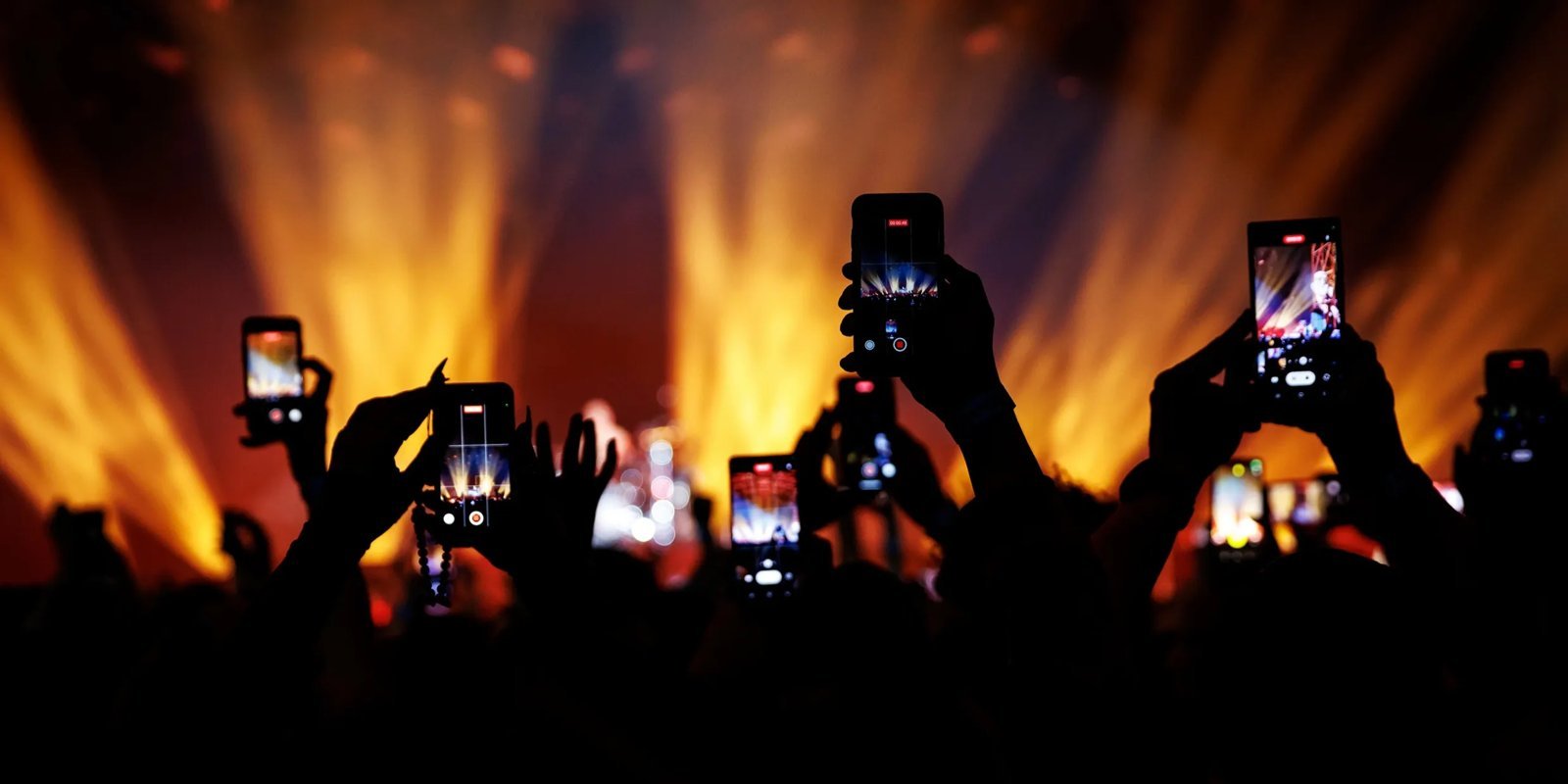
- Silhouettes and stage light: the dramatic backlighting is the gift of concert photography. Expose for the lights, let the performer go dark — moody silhouettes beat blurry faces.
- The crowd: hands in the air, confetti falling, the sea of phones — crowd shots capture the feeling better than another blurry performer shot.
- Details: setlists taped to the stage, the merch table, your ticket, the venue marquee. The small stuff tells the story.
- Wide venue shots: during a big moment, turn around and shoot the crowd + stage. The scale is the story.
- Wait for the light: concert lighting cycles — watch for the moments when the performer is lit well and shoot then. Patience beats spraying.
The Etiquette Question
Let’s address it: don’t watch the whole show through your phone. Take your shots in the first few songs, then put it away and be present. Nobody’s concert memories are “I watched it on a 6-inch screen.” Artists notice — many have spoken about the sea of phones. Capture the moment, then live it. A good rule: photos during the first 3 songs, video of one favorite song, then phone in pocket. You’ll enjoy the show more and your photos will be better for the focused effort. Future-you wants the memory, not 400 blurry photos.
After the Show: Quick Edits
- Crop aggressively: concert photos usually improve with tight crops — cut the blurry edges, focus on the moment.
- Boost contrast slightly: concert lighting is dramatic; a contrast bump enhances it.
- Don’t over-filter: the stage lighting is the color grade. Heavy filters fight it.
- Black and white: for noisy, grainy shots — B&W hides noise beautifully and looks artistic. The rescue move for imperfect shots.
Share your best shots and tag the artist — musicians love fan photos, and it’s part of supporting the artists you love.
Concert Photography FAQ
Can I bring a real camera to concerts? Usually only with a photo pass (press credential). General admission: phones only at most venues. Some smaller venues are lenient — ask ahead.
Why are my concert photos always blurry? Low light + moving subject. Fixes: night mode, burst mode, bracing your phone, and shooting during well-lit moments. Some blur is unavoidable — embrace the energetic ones.
Should I shoot video or photos? Both, briefly. A 20-second video clip captures atmosphere photos can’t; photos are better for sharing and printing. Don’t do either for the whole show.
What’s the best phone for concert photos? Any recent flagship works — the differences are marginal for concert conditions. Technique matters 10x more than which phone. Clean lens + night mode + no flash beats a newer phone used badly.
The Takeaway
Great concert photos come from: flash off, lens clean, night mode on, exposure dialed down, bursts for action, and shooting the light rather than fighting it. Take your shots early, then put the phone away and actually experience the show. The best concert photo is the one that reminds you how it felt — and you can’t capture that through a screen you never lower.
Editing on Your Phone: 5-Minute Workflow
You don’t need Lightroom expertise. A quick phone edit improves concert shots enormously:
- Crop first: tighten to the subject, straighten the horizon if the stage looks tilted.
- Exposure: concert shots are often underexposed — lift shadows slightly, but keep the blacks deep for mood.
- Contrast + clarity: small boosts add punch to stage lighting.
- Color: stage lights are already saturated — don’t add more. If anything, desaturate slightly for a moodier look.
- Noise reduction: most phone editors have it; apply lightly. Some grain is fine — it looks like film.
Two minutes per photo, done on the ride home. Your concert shots will look dramatically better with this minimal effort — the difference between “phone snap” and “actual photography” is often just a crop and a contrast bump.
Protecting Your Hearing (Seriously)
One more thing that matters more than photos: your ears. Concerts regularly hit 100-120 decibels — permanent hearing damage territory. High-fidelity earplugs ($15-25, from brands like Eargasm or Loop) reduce volume evenly without muffling the music. You hear everything clearly, just safer. Every frequent concertgoer should own a pair; tinnitus is forever, and it’s a miserable souvenir. Your photos will fade; your hearing shouldn’t. Wear the plugs, take the photos, enjoy the show — in that order of priority.
Photography at Live Events
Photography at concerts sits at the intersection of art and documentation — the great live-music photos capture energy no studio shot can. The phone in your pocket is more capable than the pro gear of 20 years ago. Technique matters more than equipment; the tips above are the technique. Go shoot.
Need subjects to practice on? Find live concerts near you — small local shows are perfect low-pressure practice.