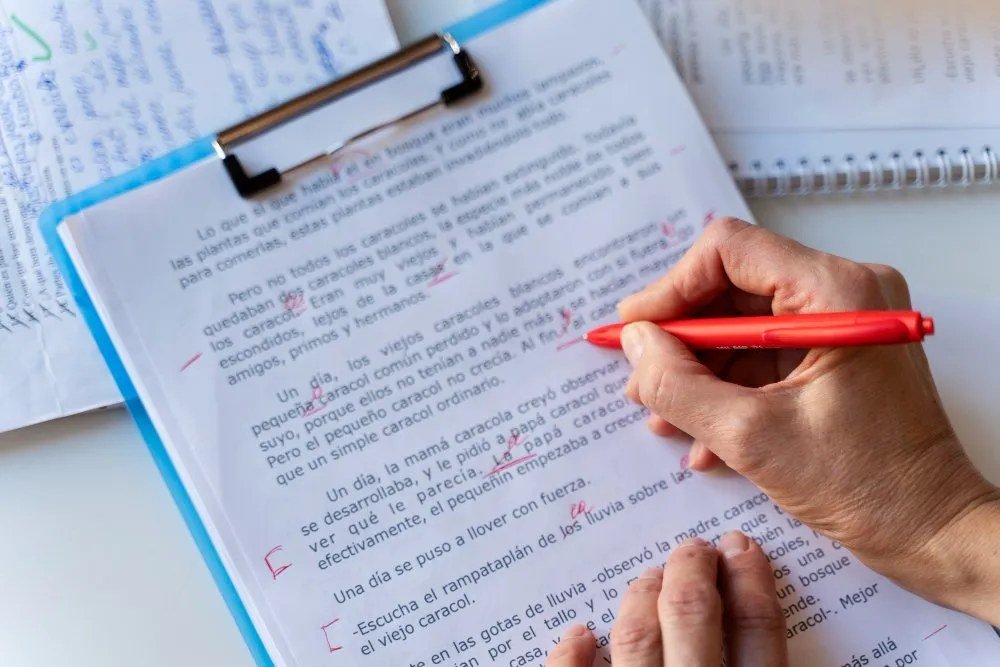
What is the best free AI tool for proofreading documents? A single typo in a client proposal, a resume, or a business email can quietly torpedo your credibility — readers judge, fairly or not. The good news: AI proofreading has gotten remarkably good, and the best options are free. I’ve run the same gnarly test document (garden-path sentences, homophone traps, style inconsistencies, and one genuinely ambiguous clause) through all the major free tools. Here’s how they actually compare.
The Top Free Contenders
- Grammarly (free tier): Still the default for a reason. Excellent spelling and grammar detection, clean browser extension that works everywhere, tone suggestions. The free tier catches the important stuff; premium adds style and clarity rewrites. Limitation: can be aggressive with stylistic “corrections” that flatten your voice — review suggestions, don’t auto-accept.
- LanguageTool (free tier): The open-source champion. Strong multilingual support (excellent if you write in multiple languages), privacy-respecting (EU-based, no account required for basic use), and surprisingly good at catching errors Grammarly misses. Free tier has character limits per check — fine for documents, annoying for books.
- ChatGPT / Claude (free tiers): The new approach — paste your document and ask for proofreading with specific instructions: “Proofread this for grammar and clarity. List every change with explanations. Don’t change my voice.” Unmatched for contextual judgment: they understand what you meant and flag ambiguity, not just errors. Downside: manual copy-paste workflow, and you must verify they didn’t “fix” things that weren’t broken.
- Microsoft Editor (free): Built into Word and Edge. Solid, convenient, improving — and you’re probably already paying for it via Microsoft 365 or using it free.
- Google Docs built-in: Underrated. Grammar suggestions plus AI writing assistance now built in. If you live in Docs, start here before adding tools.
What Is the Best Free AI Tool for Proofreading Documents for Your Use Case?
Everyday emails and web writing: Grammarly’s browser extension — set-and-forget protection everywhere you type. Long documents and reports: LanguageTool or conversational AI — better at sustained-context issues like consistency and flow. Multilingual writing: LanguageTool, no contest. Privacy-sensitive documents: LanguageTool’s no-account option or a local tool — think twice before pasting confidential material into any cloud AI (see what’s safe to share with AI services). Creative or voice-driven writing: conversational AI with explicit “preserve my voice” instructions — traditional checkers homogenize style.
The Proofreading Workflow That Catches Everything
No single tool catches everything, so layer them. My recommended workflow: Pass 1 — AI checker (Grammarly or LanguageTool) for mechanical errors. Pass 2 — conversational AI with a targeted prompt: “Check this for logical flow, unclear sentences, and inconsistencies. Flag anything a careful reader might stumble on.” Pass 3 — human read-aloud (you, reading the document out loud — the oldest trick, still the best for catching rhythm and clarity issues no AI flags). Pass 4 — fresh eyes (a colleague, or yourself after 24 hours away).
Each pass catches different error classes. The AI handles the mechanical; you handle the meaning. Documents that go through all four passes are essentially bulletproof — which matters enormously for high-stakes writing like proposals, applications, and published content. For everyday email polish, see using AI for better work emails — same principles at smaller scale.
What AI Proofreaders Still Get Wrong
Know the limits. AI checkers struggle with: domain terminology (they’ll “correct” valid technical terms — add them to your dictionary), intentional style (fragments for emphasis, colloquialisms, brand voice — the tools want to normalize everything), factual errors (no proofreader verifies your facts; “their” vs. “there” is covered, “2023” vs. “2024” is not), and subtle meaning changes (an AI “clarity” rewrite can subtly alter what you meant — always re-read AI-suggested rewrites for fidelity).
The golden rule: AI suggests, you decide. Never bulk-accept corrections on an important document. The five minutes of review is what separates “proofread” from “processed.”
For Non-Native English Writers: Extra Value Here
If English isn’t your first language, AI proofreading tools are transformative — not just for catching errors but for learning. The best approach: don’t just accept corrections, study them. Grammarly and LanguageTool explain why something’s wrong; conversational AI can go further: “Explain the grammar rule behind each correction so I learn from this.”
Common areas where AI helps non-native writers most: article usage (a/the — notoriously difficult), preposition choices, verb tense consistency, and word order in complex sentences. One caution: AI suggestions sometimes push toward unnatural formality. If a correction makes your writing sound stilted, trust your ear — especially for creative or personal writing where voice matters more than textbook correctness. The goal is clear, natural English, not robotic perfection.
Also valuable: ask conversational AI to flag “translationese” — phrasing that’s grammatically correct but unnatural to native ears. “I am writing to inform you that…” might become “Just wanted to let you know…” — same meaning, completely different reception. This idiomatic polish is where AI assistance most visibly elevates non-native writing.
Team and Business Use
For teams, consider standardizing on one tool so everyone’s writing meets the same bar — client-facing documents especially. Many businesses now include AI proofreading in their content workflow: draft, AI check, human review, publish. It’s also worth establishing a style guide (even a one-pager: our tone, our banned phrases, our formatting rules) so AI suggestions align with brand voice rather than generic correctness. And for anyone publishing content regularly, AI writing tools’ real time savings compound across every document the team produces.
The Practical Takeaway
The best free AI tool for proofreading documents is Grammarly for everyday everywhere-protection, LanguageTool for multilingual and privacy-conscious use, or conversational AI for deep contextual review — and the real answer is layering: AI checker for mechanics, conversational AI for flow, read-aloud for rhythm, fresh eyes for the final pass. No single tool is perfect, but the combination is formidable — and in a world where written communication shapes careers, it’s an edge worth having in every email, proposal, and document you send from here on. Your credibility is worth the four passes. The traditional craft of proofreading — with its proof marks and style guides — is what these tools learned from.