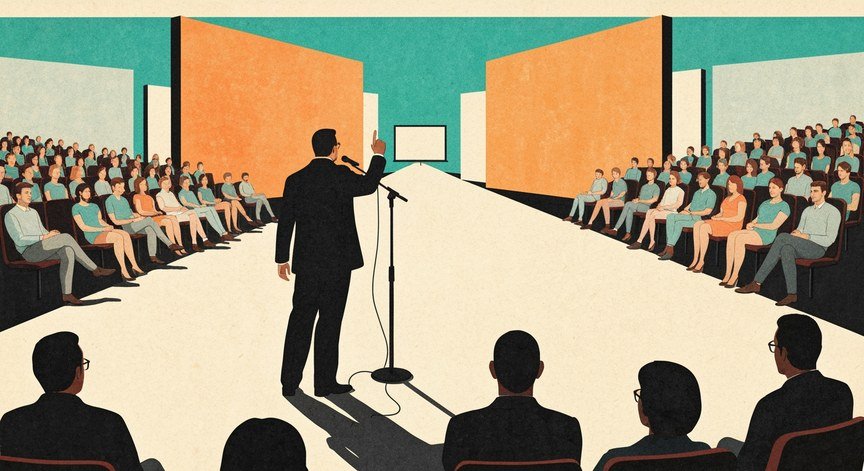
What is the best AI app for practicing public speaking? Here’s a depressing statistic: public speaking ranks among humanity’s most common fears, ahead of spiders, heights, and death in some surveys. Yet it’s also among the most career-valuable skills — the ability to present ideas clearly compounds across every profession. AI practice apps attack this problem brilliantly: they give you a private, judgment-free audience that provides detailed feedback on every aspect of your delivery. I’ve tested the leading options, and here’s the real comparison.
The Top Contenders
- Yoodli (free tier available): The current leader. Upload your speech or speak live; get analytics on filler words, pacing, eye contact (via camera), weak words, and more. The free tier is genuinely useful. Strength: comprehensive, actionable metrics. It feels like a coach that notices everything.
- VirtualSpeech: VR-based practice — present to a virtual audience in realistic environments (conference room, auditorium). The immersion triggers real nerves, which is the point: practicing under simulated pressure builds real resilience. Strength: realism. Weakness: needs VR hardware for full effect.
- Orai: Mobile-focused, lesson-based approach combining practice with micro-lessons on specific skills. Good for structured improvement over weeks.
- ChatGPT/Gemini voice mode (free): The dark horse. Not a dedicated speaking app, but excellent for rehearsing Q&A, getting feedback on your arguments’ clarity, and practicing thinking on your feet. Ask it to play skeptical audience member and grill you.
- Poised: Real-time feedback during actual video calls — a communication coach that whispers improvements while you present for real.
What Is the Best AI App for Practicing Public Speaking for You?
Total beginner, terrified: Start with Yoodli’s free tier in private — no audience, just metrics. The privacy removes the fear enough to begin. Preparing a specific presentation: Yoodli for delivery polish + conversational AI for Q&A prep and argument stress-testing. Want realism: VirtualSpeech’s VR audiences if you have the hardware. Improving at work presentations: Poised for real-time coaching during actual meetings. Budget: zero: conversational AI voice mode + your phone’s video camera for self-review covers 80% of the value.
Honestly, the app matters less than the practice. The best app is the one you’ll actually use three times a week. Pick one, commit for a month, and watch the metrics improve.
What AI Feedback Actually Measures (and What It Misses)
AI excels at the mechanical aspects: filler word counts (“um,” “like,” “you know”), words per minute (aim for 120-150 for presentations), pause usage, volume variation, eye contact distribution, and weak language detection (“I think maybe we could possibly…”). These mechanics account for a surprising share of perceived confidence — fixing them transforms how audiences receive you.
What AI can’t judge well: the quality of your ideas, emotional resonance, humor timing, cultural appropriateness, and whether your argument actually persuades. It can tell you how you said it, not whether what you said was worth saying. For content feedback, use conversational AI as a critical audience member: “Poke holes in this argument” is worth more than any delivery metric.
The 4-Week Practice Plan That Works
Week 1 — Mechanics: Record yourself giving a 3-minute talk on any topic. Get baseline metrics. Practice daily, focusing only on filler words and pacing. Boring? Yes. Effective? Enormously.
Week 2 — Structure: Practice organizing thoughts quickly: “Give me a random topic, I’ll speak for 2 minutes with a clear beginning, middle, end.” AI topics + AI feedback on structure.
Week 3 — Pressure: Add difficulty: VR audience, or conversational AI playing hostile questioner. Practice recovering from mistakes — the audience never remembers the stumble, only the recovery.
Week 4 — Real thing: Rehearse your actual presentation. Record full run-throughs. Do Q&A with AI playing your toughest stakeholder. Walk in prepared.
Throughout: the same voice-AI techniques help language learners — speaking confidence is speaking confidence, whatever the content. And if interviews are your stage, AI interview prep uses identical methods.
Beyond the App: Graduating to Real Audiences
AI practice has a ceiling — eventually you need humans. The bridge: Toastmasters (still the gold standard for structured practice with supportive feedback, ~$100/year), work presentations (volunteer for the low-stakes ones first), community groups, or even recording yourself for social media. Each step up the exposure ladder — private AI practice → trusted friends → small groups → real audiences — builds on the last.
The key insight from speaking coaches: AI gets you to competent efficiently, but compelling requires human feedback on your ideas, stories, and presence. Use AI for the reps — the hundreds of repetitions that build muscle memory — and humans for the artistry. Most great speakers you admire did thousands of reps; AI just lets you do them without an audience watching you fail, which removes the biggest barrier to getting those reps in.
Common Fears, Addressed Honestly
“I’ll forget everything.” Notes are fine — even great speakers use them. The goal isn’t memorization, it’s familiarity. Practice until the structure is automatic; the words can vary. “People will see I’m nervous.” They mostly won’t — audiences perceive far less nervousness than speakers feel, and a little nervous energy reads as enthusiasm. “What if someone asks something I can’t answer?” “Great question — I don’t know, but I’ll find out and follow up” is a perfectly respected answer. Audiences punish bluffing, not honesty.
The Practical Takeaway
The best AI app for practicing public speaking is Yoodli for most people (comprehensive free metrics), VirtualSpeech for realism seekers, or conversational AI voice mode for Q&A and argument practice on a zero budget. But the app is secondary — what matters is consistent practice with feedback, progressing from mechanics to structure to pressure over about a month. Public speaking fear doesn’t vanish; it gets managed, then mastered, one rehearsal at a time. Start tonight: record yourself talking for three minutes about anything — and congratulate yourself, because that first recording is the hardest one you’ll ever make, and everything after it gets easier — the second recording, the tenth, the hundredth, each one building the speaker you’re becoming, one rehearsal at a time. Apps help, but the fundamentals of public speaking — structure, stories, eye contact — are what audiences actually remember.