
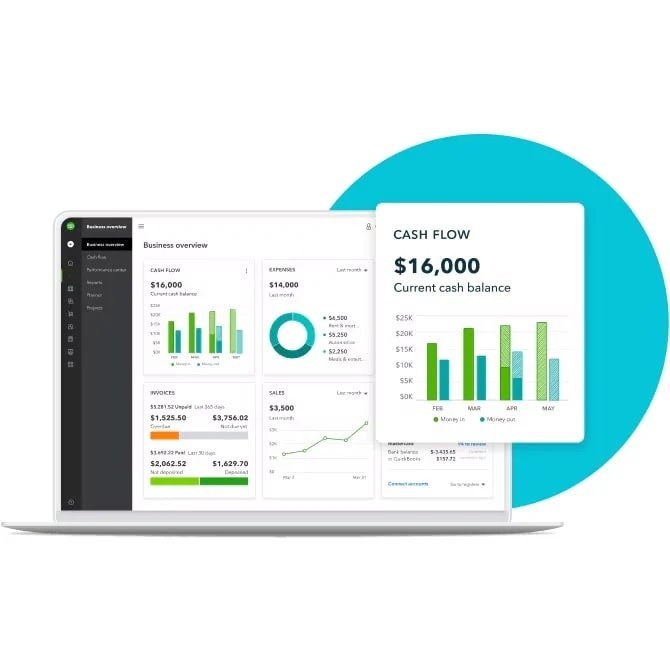
Spreadsheets work until they don’t — usually around tax time, when you’re reconstructing a year of receipts from memory. The best accounting software for small businesses in 2026: QuickBooks Online (most popular, most accountants use it), Xero (best QuickBooks alternative), (best QuickBooks alternative), Wave (best free), and FreshBooks (best for service freelancers). The right choice depends on your business type more than the feature list.
I’ve set up books for small businesses on all four. Here’s the honest comparison — including the switching costs nobody mentions.
The Top 4, Honestly Compared
- QuickBooks Online — $30-$90/month. The default. Most widely used, most accountants know it, deepest integrations (thousands of apps), strongest payroll add-on. Downsides: price hikes are a tradition, the interface is cluttered, and support has declined. Pick it if: you have (or will hire) an accountant — they’ll thank you — or need robust inventory/payroll.
- Xero — $15-$80/month. The thinking person’s pick. Cleaner interface, excellent bank reconciliation, unlimited users on all plans (QuickBooks charges per user — this alone can save hundreds). Slightly fewer US payroll integrations. Pick it if: you want modern UX, have multiple users, or operate internationally (multi-currency is superb).
- Wave — free (accounting/invoicing). The budget champion. Genuinely free double-entry accounting and invoicing — not a trial. Makes money on payment processing (2.9% + $0.60) and payroll add-on. Pick it if: you’re a freelancer or micro-business with simple needs. Limitations: no inventory tracking, fewer integrations, US/Canada focused.
- FreshBooks — $10-$60/month. Best for service businesses. Invoicing is a joy — time tracking, expenses, and client-friendly invoices. Weaker on true accounting depth (it’s not full double-entry at heart). Pick it if: you’re a freelancer/agency living on invoices and professional billing.
Which One Fits YOUR Business?
- Freelancer / solo service: Wave (free) or FreshBooks. You need invoicing, expense tracking, and tax-ready reports — not inventory modules. Start free; upgrade when revenue justifies it.
- Online store / product business: QuickBooks or Xero — you need inventory tracking, COGS, and sales-tax handling. Connects to Shopify/WooCommerce/Amazon.
- Restaurant / retail with staff: QuickBooks Online + Payroll — the payroll integration and accountant familiarity win. The per-employee math works at this scale.
- Agency / consultancy (5-50 people): Xero — unlimited users, project tracking, multi-currency if you bill internationally.
- Side hustle under $30k: Wave free, no question. Spend the $360/year QuickBooks would cost on literally anything else.
- Doing bookkeeping without an accountant? Pick the one with the gentlest learning curve for you — Xero or Wave. The “best” software you won’t use is worthless.
The Features That Actually Matter (vs. Marketing Fluff)
- Bank feed reconciliation — essential. All four auto-import bank/credit transactions. The daily 5-minute categorize habit is what makes books work — software can’t fix unreviewed feeds.
- Invoicing that gets you paid: professional templates, automated reminders, online payment links. Late payments kill small businesses; good invoicing prevents them. FreshBooks and Wave shine here.
- Receipt capture: snap a photo, OCR extracts the data. All four do it; accuracy varies. Do it at purchase time — the shoebox method dies with this feature.
- Tax-ready reports: profit & loss, balance sheet, Schedule C categories. Your tax preparer wants clean P&L exports — this is where QuickBooks’ ubiquity pays off.
- Payroll integration: only matters if you have employees — hiring your first employee triggers this need. QuickBooks Payroll and Gusto (integrates with Xero/Wave) are the main options.
- What you probably DON’T need: advanced inventory (unless you’re product-based), multi-entity consolidation, custom API workflows. Don’t pay for tiers with features you’ll never open.
The Switching Question (Read Before You Commit)
Accounting software has real switching costs — historical data migration is painful, your accountant learns one system, and integrations get rebuilt. So:
- Choose assuming 3-5 years. The $15/month difference between options is trivial versus a migration project.
- Ask your accountant FIRST. If you have one, use what they use — their efficiency (and your bill) depends on it. This single factor overrides every feature comparison.
- Start on the right tier: begin on the cheapest plan that fits; upgrading tiers is easy, downgrading mid-year sometimes isn’t.
- Test the bank feed: during trials, connect your actual bank and reconcile a month. UX differences that look minor in demos become daily friction.
- Export regularly: whatever you choose, export reports/CSV quarterly. Your data should never be hostage to a subscription.
Free and Cheap Alternatives Worth Knowing
- Wave — free. Covered above; the genuine article for simple businesses.
- ZipBooks — free tier. Solid free starter with paid upgrades; less known but capable.
- Spreadsheets + discipline: viable under ~$20k revenue with few transactions. Template P&L, monthly reconciliation habit. Free forever — but be honest about whether you’ll maintain it.
- Your bank’s tools: many business checking accounts (Novo, Bluevine) include basic categorization and reports — sometimes enough for micro-businesses.
- Hiring a bookkeeper ($200-$500/month): at a certain revenue, this beats software debates — a human who reconciles monthly and hands your CPA clean books. Often cheaper than the hours you’d spend.
My honest hierarchy: Wave free until it hurts → Xero or QuickBooks when complexity demands → bookkeeper + software when your time is worth more than the fee. Most small businesses never need more than step two. The SBA’s finance management resources complement whatever you choose.
Keep Reading
If this was useful, you might also like bookkeeping without an accountant and professional billing.
The Bottom Line
Freelancers/micro: Wave (free) or FreshBooks. Product businesses: QuickBooks or Xero. Agencies: Xero. Ask your accountant first — their preference overrides features. Choose for 3-5 years (switching hurts), start on the cheapest fitting tier, and remember: the software that gets used beats the “best” software. The 5-minute daily reconcile habit matters more than the logo.
Frequently Asked Questions
Is free accounting software actually good enough?
For freelancers and simple businesses: yes. Wave offers genuine double-entry accounting free — invoicing, expenses, reports. You outgrow it when you need inventory, multi-user payroll, or complex integrations, typically well past $100k revenue.
Do I need accounting software if I have an accountant?
Yes — but a simpler role. The software organizes your year; the accountant optimizes and files. Handing a CPA a shoebox costs you more in billable hours than a year of software. Clean books in, lower tax prep bill out.
QuickBooks Online vs Desktop — which?
Online, unless you have a specific reason (certain manufacturing features, no internet). Intuit is sunsetting Desktop support progressively, and Online’s bank feeds and integrations are the modern workflow. New buyers should choose Online.





2 Comments