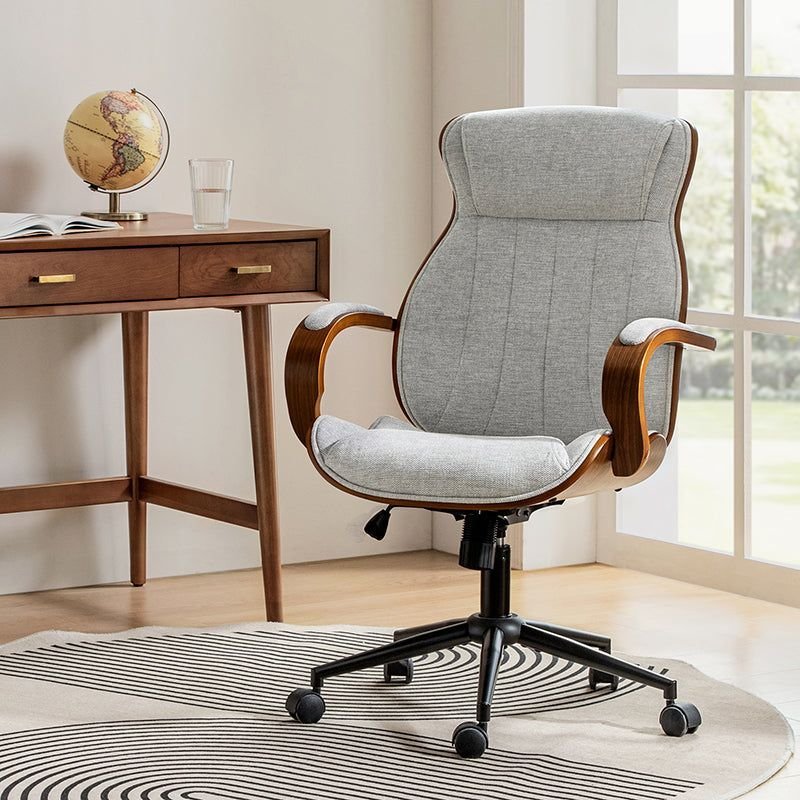
Your home office is where you spend a third of your waking life. If it’s uncomfortable — bad chair, harsh light, kitchen-table ergonomics — you’re paying for it in focus, energy, and eventually your back. The good news: making your home office more comfortable and productive doesn’t require a full renovation. A few targeted upgrades, chosen in the right order, transform both how the space feels and how well you work in it.
I’ve worked from home offices ranging from a closet desk to a dedicated room. The pattern is consistent: comfort upgrades pay for themselves in sustained focus within weeks. Here’s the priority order.
Priority 1: The Chair (Non-Negotiable)
If you buy one thing, buy the chair. You sit in it 8+ hours a day — it’s the highest cost-per-hour item in your home. What to look for:
- Adjustable everything: seat height, armrests, lumbar support, tilt. Bodies differ; fixed chairs fit nobody perfectly.
- Lumbar support that actually supports: Your lower back should feel held, not hovering. This is the #1 comfort factor.
- Try before you buy if possible — 15 minutes of sitting tells you more than 50 reviews.
- Budget reality: Decent ergonomic chairs start around $200–300 (used Herman Millers and Steelcases on marketplace sites are the pro move — $300–500 for a $1,200 chair). Below $150, you’re mostly buying looks.
While chair shopping, fix the cheap stuff immediately: feet flat on floor (footrest if needed), knees at ~90°, screen top at or slightly below eye level (stack of books works until you get a stand). These three adjustments cost nothing and fix 70% of desk pain.
How Can I Make My Home Office More Comfortable and Productive? The Setup Stack
Priority 2: Desk and monitor ergonomics
- Desk height: Elbows at ~90° when typing. If your desk is too high (most are for shorter people), raise the chair and add a footrest rather than shrugging all day.
- Monitor position: Arm’s length away, top of screen at eye level. Laptop users: get a stand + external keyboard — the hunch is the enemy. A second monitor is the biggest productivity upgrade per dollar for most knowledge workers.
- Keyboard and mouse: External, at elbow height, wrists neutral. If wrists hurt, this is usually the fix, not the chair.
- Standing option: A converter or adjustable desk for alternating sitting/standing. You don’t need to stand all day — alternating hourly is the evidence-backed sweet spot.
Priority 3: Light and air
- Natural light: Face the window or sit perpendicular to it (not with your back to it — webcam horror — or facing glare). Daylight regulates energy and mood measurably.
- Task lighting: A warm desk lamp for cloudy days and evenings. Overhead-only lighting is flat and fatiguing.
- Air quality: A plant or two (beginner-friendly options), crack a window when possible. Stale air = stale thinking.
Priority 4: Sound control
Noise is a focus killer most people underestimate. Solutions by severity: good noise-canceling headphones (the remote worker’s office door), a white noise machine for household sounds, a rug and soft furnishings to kill echo, and — for the truly distracted — earplugs + instrumental music. If housemates are the issue, the conversation scripts in handling roommate disagreements apply to family members too.
The Productivity Layer (Beyond Furniture)
Comfort gets you in the chair; systems keep you effective:
- Visible priorities: A whiteboard or paper with today’s top 3 — visible without opening an app. Reduces the “what was I doing?” drift.
- The shutdown shelf: A physical inbox tray for end-of-day brain dumps. Tomorrow’s worries go in the tray, not in your head all evening.
- Cable management: Ten minutes with zip ties and a $10 cable tray. Visual clutter creates mental clutter — this is disproportionately satisfying.
- The “meeting-ready” zone: A clean background (or virtual one), decent webcam angle (eye level — stack those books), and a good enough microphone. Audio quality matters more than video quality — a $30 USB mic beats a $300 webcam for perceived professionalism.
- Greenery and personal touches: Photos, art, the mug you like. An office that feels like yours is one you’ll actually want to work in. This overlaps with making a rental feel like home — renters can do all of this.
For the work habits that fill the comfortable space, see staying productive when working from home — environment and routine are the two halves of remote work success.
The Budget Path (Under $300 Total)
If funds are tight, in order: free ergonomic adjustments (monitor height, chair position) → used ergonomic chair ($100–200 on marketplace) → monitor stand + external keyboard ($40) → desk lamp ($25) → plant + cable management ($20). Skip the fancy desk until the chair is sorted — a great chair at a folding table beats a great desk with a dining chair, every time.
The Ergonomics Checklist (Do This Today)
Run through this checklist right now — most fixes are free and take minutes:
- ☐ Feet: Flat on the floor (or on a footrest). Dangling feet = lower back strain.
- ☐ Knees: At roughly 90°, thighs parallel to floor. Adjust chair height first.
- ☐ Back: Supported by the chair’s lumbar area — no gap between your lower back and the chair. Roll up a towel if your chair lacks support.
- ☐ Elbows: At 90°, close to your body, shoulders relaxed (not hunched). If shoulders are up around your ears, the desk is too high — raise the chair, add a footrest.
- ☐ Wrists: Straight and neutral, not bent up or down. Keyboard at elbow height; consider a wrist rest for the desk edge (not while typing).
- ☐ Monitor: Top of screen at or slightly below eye level, arm’s length away. Stack books under it now if needed.
- ☐ Neck: Not craning down (laptop hunch) or up. The monitor position fixes most neck pain.
- ☐ Movement: Stand, stretch, or walk for 5 minutes every hour. Set a timer — the best posture is your next posture.
If anything hurts after a week of correct setup, that’s data — see a professional (physical therapist, not just a new chair). Ergonomics prevents most desk pain; persistent pain deserves expert attention, not more equipment.
The Takeaway
Making your home office more comfortable and productive follows a priority order: chair first (it’s the highest-impact purchase), then desk/monitor ergonomics, then light/air/sound, then the productivity layer (visible priorities, cable management, meeting-ready setup). Do the free adjustments today, hunt a used ergonomic chair this week, and layer the rest monthly. Your back, your focus, and your 5 p.m. energy levels will all notice — usually within the first week. For ergonomic standards, OSHA’s computer workstation guidance is the authoritative reference.