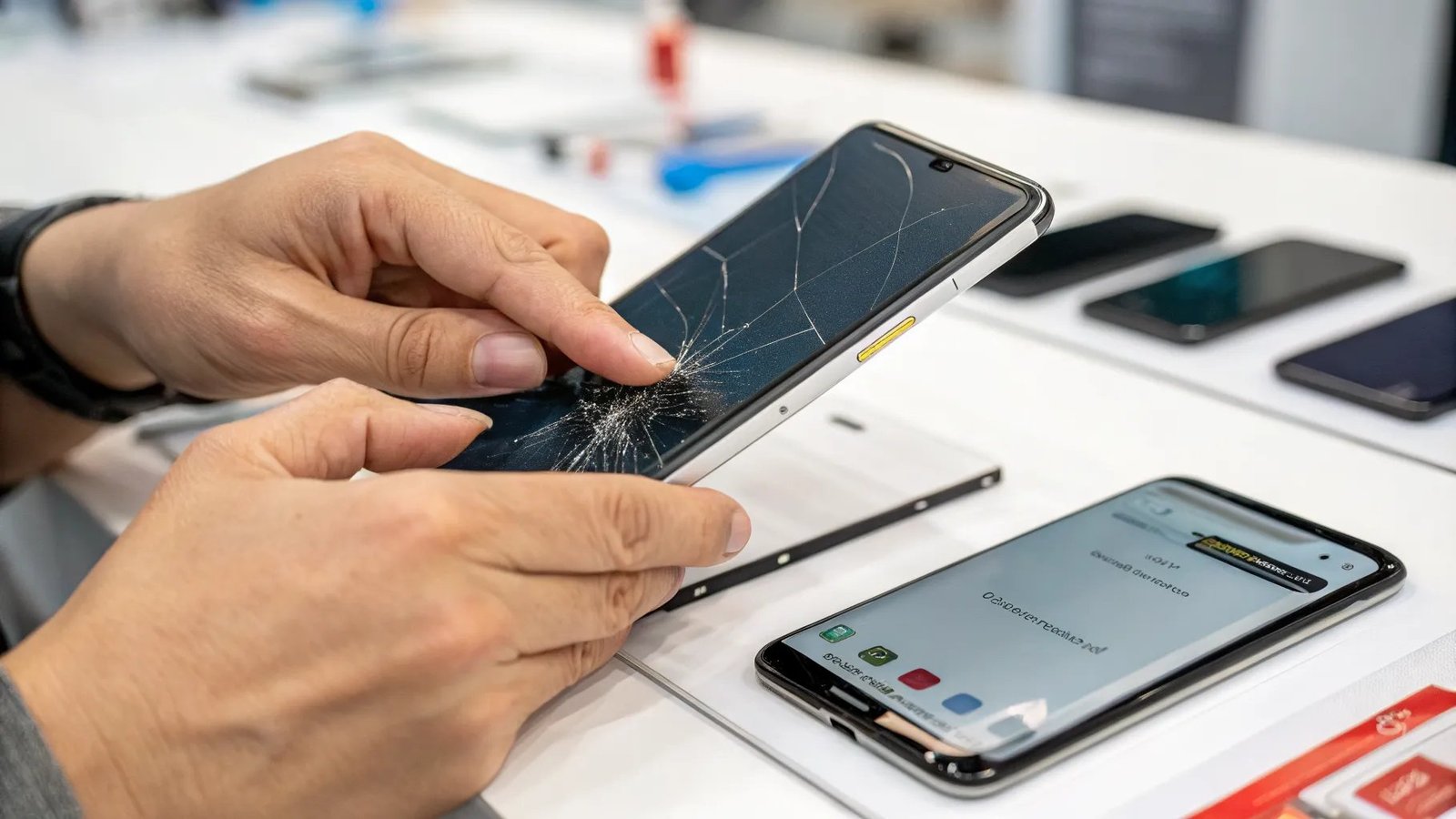
Buying used is the smartest way to get a great phone cheap — a one-year-old flagship at half price beats a brand-new budget phone every time. But what should you look for when buying a used smartphone? The short version: verify the IMEI isn’t blacklisted, check battery health, test every button, camera, and speaker, and confirm it’s factory unlocked (or locked to your carrier).
I’ve bought and sold enough used phones to have a routine down to about ten minutes. Here’s the full checklist, including the two checks most buyers skip and regret.
The Two Checks Most Buyers Skip (Don’t Be Them)
1. Check the IMEI against blacklist databases. A phone reported stolen or tied to unpaid carrier bills gets blacklisted — it can’t connect to any US network, making it an expensive paperweight. Ask the seller for the IMEI (dial *#06#), then run it through a free checker like IMEI.info or your carrier’s BYOD page. Takes two minutes. I’ve seen too many “great deals” die right here.
2. Confirm it’s not iCloud/Google locked. For iPhones, make sure the seller has signed out of iCloud and turned off Find My iPhone — an Activation Locked iPhone is a brick to anyone but the original owner. Meet in person? Have them reset it in front of you: Settings → General → Transfer or Reset → Erase All Content. For Android, same deal with the Google account removed.
If a seller refuses either check, walk away. Legitimate sellers expect this.
The 10-Minute Physical Inspection
Bring a checklist and don’t feel awkward — serious sellers respect a careful buyer:
- Screen: open a plain white image (or a white webpage) fullscreen. Look for dead pixels, discoloration, and burn-in (ghostly keyboard outlines on OLED screens). Drag an app icon slowly across the whole screen — if it stutters or drops in one spot, the digitizer is damaged there.
- Battery health: iPhone → Settings → Battery → Battery Health (want 85%+). Android → check battery settings or AccuBattery. Budget a replacement if it’s under 80% — here’s how to tell when a battery truly needs replacing.
- Cameras: test all of them — front, rear, ultrawide, and video. Look for foggy lenses, dead autofocus, or pink/purple tints.
- Speakers and mics: play music, make a test call on speakerphone, record a voice memo. Crackling or dead mics are common on dropped phones.
- Buttons and ports: every button should click crisply. Plug in a charger — a loose port means expensive repair.
- Water damage: check the SIM tray’s indicator sticker (red/pink = water exposure). Also sniff the charging port — corrosion has a distinct metallic smell.
- Face ID / fingerprint: set it up on the spot. A phone with dead biometrics had a bad screen replacement or board damage.
Where to Buy (Ranked by Safety)
- Manufacturer refurbished (Apple Refurbished, Samsung Re-Newed): the gold standard — genuine parts, new battery and outer shell, full 1-year warranty. Costs more than Craigslist but the peace of mind is real.
- Back Market / Swappa: my top picks for used. Swappa requires IMEI verification and has strong buyer protection; Back Market grades condition honestly and includes warranties.
- Carrier/retailer pre-owned: Verizon, Best Buy open-box — safe, inspected, returnable.
- eBay (reputable sellers): fine if you stick to top-rated sellers with return policies and pay with PayPal/credit card.
- Facebook Marketplace / Craigslist: cheapest prices, highest risk. Meet in public, inspect thoroughly, and never pay in advance. Cash or in-person payment only.
I’d avoid: parking-lot deals from strangers with no box, no receipt, and a “no returns” attitude. The $50 you save isn’t worth the gamble.
What’s a Fair Price? (Don’t Overpay)
Check Swappa’s listings for the same model and condition — it’s the closest thing to a blue-book value for used phones. General depreciation reality:
- 1-year-old flagship: expect 50–65% of original retail. The sweet spot for value.
- 2-year-old flagship: 35–50% of retail. Still gets OS updates, still fast.
- 3+ years: cheap, but check remaining software support — a phone that stops getting security updates isn’t a bargain at any price.
Factor in a battery replacement ($50–$80) if health is under 85% — use it as a negotiation point. And honestly? A used flagship from 1–2 years ago with a fresh battery will outperform and outlast any new $250 budget phone. That’s the whole game. For the full cost picture, the FCC’s guide to buying used phones is a solid second opinion.
Bought It? Do These 5 Things on Day One
Congratulations, the inspection passed and the price was fair. Before you make it your daily driver:
- 1. Factory-reset it yourself — even if the seller already did. Settings → Erase All Content. This guarantees no leftover accounts, profiles, or sneaky device-management locks.
- 2. Update the OS immediately. Used phones often sit on old software. Install every available update before you load your data on — it’s faster and safer.
- 3. Case and screen protector first, photos second. Put protection on before the celebratory first-day carry. I’ve seen people crack a “new” used phone within 48 hours. Twelve dollars of prevention.
- 4. Check warranty/AppleCare status. Apple lets you check coverage by serial number online — some used phones still have months of warranty left, which is a nice bonus. Enroll in AppleCare+ within 60 days of the original purchase date if eligible.
- 5. Re-test everything within the return window. Use the phone hard for a week — battery, cameras, calls, charging. If something’s off, you want to find out on day 6, not day 31. Keep the seller’s messages until the return window closes.
Keep Reading
If this was useful, you might also like how to tell when a phone battery truly needs replacing and what a proper screen replacement costs.
The Bottom Line
The used-phone buying formula: verify the IMEI, confirm no activation lock, inspect the screen/battery/cameras in person, and buy from a source with buyer protection. Target 1–2-year-old flagships at 40–60% of retail — that’s where the value lives. Do those four things and you’ll wonder why anyone pays full price.
Frequently Asked Questions
Is it safe to buy a used phone online?
Yes, from the right sources — Swappa, Back Market, manufacturer refurbished programs, and top-rated eBay sellers all offer buyer protection. Avoid wiring money or paying with gift cards to strangers, online or off.
What does ‘factory unlocked’ mean?
It works on any carrier. A carrier-locked phone only works on that carrier’s network until it’s paid off and unlocked. Always confirm unlock status matches your carrier before buying.
Should I buy a phone with a replaced screen?
It can be fine if done well — but test thoroughly, since cheap replacement screens have worse colors and touch issues. Ask whether the screen is OEM or aftermarket, and know what a proper screen replacement costs so you can judge the phone’s value fairly.