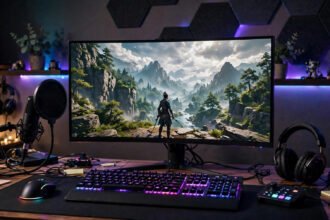

Prebuilt gaming PCs charge you a premium for the convenience of not thinking — often $200–$400 over the cost of parts for the exact same machine. In 2026, building your own budget gaming PC remains the best value in gaming: for $600–$800, you can assemble a machine that runs modern titles at 1080p high settings, and you’ll understand every component inside it. This guide walks you through part selection, the build itself, and the mistakes that cost beginners money — no prior experience required.
Set Your Target: What “Budget” Means in 2026
A budget gaming PC in 2026 means $600–$800 all-in (tower only — monitor, keyboard, and mouse are separate). That budget buys genuinely good 1080p gaming: 60+ fps at high settings in most modern titles, and 100+ fps in competitive games like Valorant, Fortnite, and Counter-Strike 2. Chasing 1440p or 4K on a budget is the classic beginner trap — it doubles the GPU cost for gains your monitor may not even display.
Before buying anything, decide your monitor situation. A 1080p 144Hz monitor ($120–$150) is the perfect partner for a budget build and the single best “feel” upgrade in gaming. Building a PC capable of 4K while gaming on an old 1080p 60Hz display is wasted money in the wrong place.
The Golden Rule of Budget Builds
Spend the most on the GPU, then the CPU, then everything else. In gaming, the graphics card determines roughly 70% of your performance. A $700 build with a $350 GPU and a $130 CPU will crush a $700 build with a $250 GPU and a $250 CPU in every game that matters. Balance is for later; the GPU is the build.
Picking Parts: The 2026 Budget Formula
GPU ($250–$380): The heart of the build. In the budget tier, look at the current generation’s xx60-class cards from NVIDIA or AMD’s competing midrange offerings — check current benchmarks (not brand loyalty) because the value crown changes yearly. Buy new if possible; the used GPU market is full of ex-mining cards with worn-out fans and no warranty.
CPU ($110–$160): A modern 6-core processor is the budget sweet spot — plenty for gaming, since most games still don’t effectively use more than 6–8 cores. AMD’s budget chips and Intel’s i3/i5 lines trade blows; buy whichever is cheaper when you shop, and make sure the motherboard socket matches.
Motherboard ($90–$130): Get a B-series board (B650/B760-class) from a reputable brand with the features you need — Wi-Fi if you need it, enough M.2 slots, decent VRMs. Skip the premium X-series boards; they add overclocking headroom a budget build will never use.
RAM ($45–$65): 16GB of DDR5 is the 2026 baseline — non-negotiable. Two 8GB sticks in dual channel, at a decent speed (5600+ MT/s for DDR5). 32GB is nice but a luxury at this budget; put that $40 toward the GPU instead.
Storage ($50–$70): A 1TB NVMe SSD — and this is where beginners should pay attention, because SSD quality varies enormously. A DRAM-less budget NVMe is fine for gaming loads; just avoid ancient SATA drives and no-name brands with no endurance ratings. If you’re weighing whether an old drive is worth reusing, this breakdown of upgrading from a hard drive to an SSD explains why solid-state is mandatory in 2026 — never build a gaming PC around a spinning hard drive as the boot drive.
Power supply ($60–$80): The part beginners cheap out on and regret. Get a 550–650W unit from a known brand with at least an 80+ Bronze rating — verified efficiency standards are listed at energystar.gov. A bad PSU can kill every other component; a good one lasts through two builds.
Case ($50–$70): Any case with a mesh front panel and room for your GPU length. Airflow beats aesthetics — a $55 mesh case cools better than a $120 glass box. Check GPU clearance against the manufacturer’s spec; this is the most common physical incompatibility in budget builds.
Compatibility: The 10-Minute Check That Saves $200
Before clicking buy, run your parts list through PCPartPicker — it flags socket mismatches, RAM incompatibilities, wattage shortfalls, and physical clearance issues automatically. The three manual checks it can’t fully do for you: (1) CPU cooler height vs. case clearance if you’re using a tower cooler, (2) GPU length vs. case spec, and (3) whether your motherboard needs a BIOS update for your CPU (most B-series boards in 2026 ship compatible, but verify).
Buy the CPU and motherboard as a bundle when retailers offer it — combo discounts of $20–$40 are common.
Where to Buy (and What to Avoid)
Major retailers with return policies beat marketplace sellers for core components — a dead-on-arrival motherboard from a no-return seller is a $120 lesson. Avoid: used power supplies (never), used motherboards (bent pins, no warranty), and “too good to be true” GPU listings.
The Build: Easier Than Furniture Assembly
Set aside 2–3 unhurried hours, a clear table, a Phillips screwdriver, and a video guide open on your phone. The order that minimizes frustration: install CPU, cooler, RAM, and M.2 SSD on the motherboard first (outside the case, on the motherboard box — much easier to see what you’re doing), then mount the motherboard, install the PSU and route cables, seat the GPU last, and connect front-panel connectors (the fiddliest step — use tweezers or needle-nose pliers).
The moments beginners panic about: the RAM needing surprising force to click in (it’s normal — push evenly until both tabs snap), the CPU lever feeling stiff (also normal), and the first boot taking 1–2 minutes for memory training (completely normal — don’t power-cycle it). If it doesn’t POST, the checklist is: RAM reseated? GPU power cables fully clicked? Monitor plugged into the GPU, not the motherboard? Those three solve 90% of first-boot failures.
First Boot to First Game
Install Windows from a USB drive, grab GPU drivers directly from NVIDIA or AMD (not Windows Update’s older versions), enable XMP/EXPO in the BIOS so your RAM actually runs at its rated speed (this one setting is worth 5–10% free performance and half of all builders forget it), and install your games on the NVMe drive. For online multiplayer, a stable connection matters as much as hardware — check how much internet speed you actually need so lag doesn’t waste your new framerates.
Upgrading Later: The Budget Builder’s Superpower
The hidden advantage of building: your PC is a platform, not a product. In a year or two, the highest-value upgrades are a better GPU (drop-in, 30 minutes), another 16GB of RAM, or a second SSD — each transforming the machine for a fraction of rebuild cost. Keep your boxes and receipts, note your motherboard’s CPU compatibility ceiling, and buy the PSU with 100W of headroom so it survives the GPU upgrade. A well-planned $700 build in 2026 becomes an $1,100-class machine over three years of smart upgrades, while prebuilt buyers start over from zero.
When choosing what to play on your new rig, check age ratings and content descriptors at esrb.org — the ESRB’s official rating database covers virtually every commercial release and is the authoritative source for parents and gift-buyers.
Conclusion
Building a budget gaming PC in 2026 means $600–$800 aimed squarely at 1080p gaming, with the GPU getting the biggest slice of the budget and the power supply getting more respect than beginners expect. Verify compatibility with PCPartPicker, enable XMP on first boot, and remember that the machine you build is upgradable for years. Two to three hours of careful work buys you a faster PC than any prebuilt at the price — and the knowledge to upgrade it forever.
Frequently Asked Questions
How much does it cost to build a budget gaming PC in 2026?
$600–$800 for the tower delivers excellent 1080p gaming performance. Below $600, compromises start hurting (weak GPU, tiny SSD); above $800, you’re leaving the budget tier for midrange 1440p territory.
Is it cheaper to build or buy a gaming PC?
Building is typically $200–$400 cheaper than an equivalent prebuilt, and you get better component quality (especially the power supply and SSD) plus full upgradability. Prebuilts only win on convenience and warranty simplicity.
What is the most important part of a gaming PC?
The graphics card (GPU) — it determines roughly 70% of gaming performance. On a budget build, allocate the largest share of your budget to the GPU before upgrading anything else.
How long does it take to build a PC for the first time?
Plan 2–3 hours for the physical build plus another hour for Windows and driver installation. First-timers who rush make the mistakes; slow and methodical beats fast every time.
Can a budget PC run modern games?
Yes — a $700 build with a current xx60-class GPU runs most modern titles at 1080p high settings above 60fps, and competitive games well above 100fps. It’s 1440p/4K ultra settings that require bigger budgets.