Creating a professional invoice takes 10 minutes and pays for itself: clear, branded invoices with specific payment terms get paid significantly faster than vague ones. The formula: your branding, client details, itemized work, total, payment terms, and how to pay — nothing more, nothing less.
I’ve sent thousands of invoices. The difference between “paid in 3 days” and “chasing for 3 months” is usually the invoice itself. Here’s the complete guide.
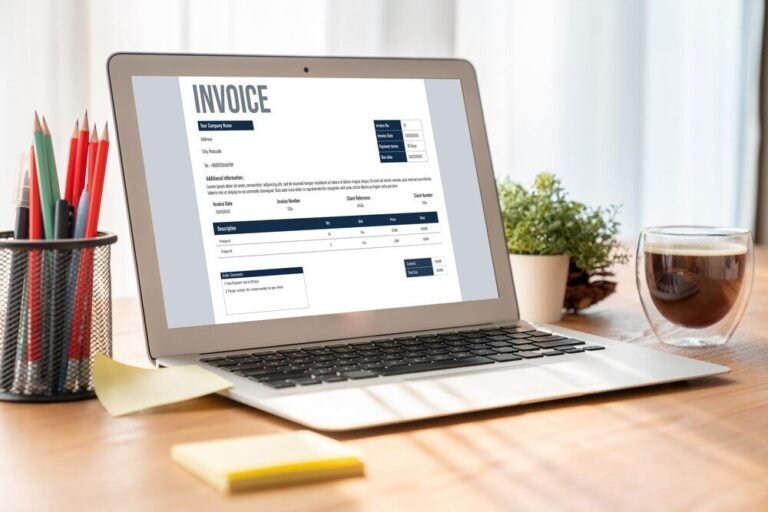
Every Element a Professional Invoice Needs
- Your branding: business name, logo, contact info, website. A header that looks like a business, not a text message.
- The word “INVOICE” prominently — plus a unique invoice number (INV-2026-001…). Numbering isn’t vanity; it’s how you and the client track, and how accountants stay sane.
- Dates: invoice date AND payment due date. “Due on receipt” is weak; “Due November 16, 2026” is a deadline.
- Bill-to block: client name, company, address. Invoice the right entity — sole-prop clients get personally invoiced; companies get company details.
- Itemized line items: description, quantity/hours, rate, amount per line. “Design services — $2,000” invites questions; itemized lines answer them. Vague invoices get “let me review this” delays.
- Subtotal, taxes, total: crystal clear. If sales tax applies, show it as a line (rates vary — know your obligations).
- Payment terms: “Net 15,” “Due in 15 days,” late fee policy (e.g., “1.5% monthly on overdue balances” — check your state’s limits). Terms on the invoice are enforceable expectations; verbal terms are wishes.
- How to pay: every method you accept — bank transfer details, payment link, check address. Friction kills payment speed: a clickable “Pay Now” button beats “mail a check to…” enormously.
- Thank-you + contact: one line. Professional warmth costs nothing.
Free Tools (Don’t Build Invoices in Word)
- Wave (free): genuinely free invoicing — professional templates, online payment links, automatic reminders. The best $0 option, period.
- FreshBooks / QuickBooks / Xero: invoicing built into accounting software — the invoice feeds your books automatically. Worth it once you’re established.
- PayPal / Stripe invoicing: fine for simple needs; the payment link is native.
- Google Docs templates: acceptable for invoice #1-5; upgrade before invoice #50. Manual invoicing doesn’t scale and looks it.
- What to avoid: plain-text email “invoices,” screenshots, and anything without an invoice number. These signal “hobby,” and hobbies get paid last.
The upgrade that matters most isn’t design — it’s online payment acceptance. Invoices with a pay-now link get paid 2x faster on average. The 2.9% processing fee is the best money you’ll spend.
Payment Terms That Get You Paid Faster
- Shorter terms, stated clearly: Net 15 beats Net 30 for small businesses — and many clients pay faster than terms anyway when the invoice is clear and payable online.
- Deposits upfront: 50% for new clients, always. It filters serious clients and halves your exposure. Collecting overdue payments is infinitely easier when half is already collected.
- Milestone billing for big projects: 30/40/30 splits tied to deliverables — you never carry the full project risk, and clients prefer smaller commitments.
- Early-payment discount: “2% off if paid within 10 days” (2/10 net 30) — costs little, accelerates cash meaningfully.
- Late fees, stated upfront: 1-1.5% monthly on overdue balances (check state law). Rarely collected, enormously effective as a deterrent — it makes “pay this invoice” outrank other bills.
- Send invoices immediately: same day as delivery, not “when I get around to it.” Every day of delay is a day added to payment. This single habit is worth more than any template.
The Follow-Up Sequence (for When They Don’t Pay)
- Day 1 (due date): friendly automated reminder — “just a heads-up, invoice #X is due today.” Most late payments are forgetfulness, not malice.
- Day 7 overdue: personal note — “checking in on invoice #X, is everything OK with it?” Opens the door for disputes (fix them fast — disputed invoices never get paid).
- Day 14-21: firmer — reference the late-fee terms, ask for a specific payment date. “Can you confirm payment by Friday?”
- Day 30: phone call. Emails are ignorable; voices aren’t. Stay professional — you’re collecting, not fighting.
- Day 45-60: formal demand letter stating consequences (collections, work stoppage). Then: pause current work until caught up — never keep working for a non-paying client.
- Day 90+: collections agency (they take 25-50% but 50% beats 0%) or small claims court (up to $5k-$10k by state, no lawyer needed).
Automate the early steps (every invoicing tool does reminders) so only real problems reach your attention. And the best collection strategy remains prevention: deposits, clear terms, online payment, and vetting clients before the work starts.
Common Invoicing Mistakes (Fix These Today)
- No invoice number or dates: untrackable, unprofessional, unenforceable.
- Vague line items: “services rendered — $5,000” gets questioned; itemization gets paid.
- Missing payment instructions: if paying you requires effort, payment waits. Make it one click.
- Invoicing late: sending March’s invoice in May trains clients that your billing is casual — and casual billing gets casual payment.
- No late-fee policy: without stated consequences, your invoice is the easiest bill to postpone.
- Working without deposits for new clients: the tuition everyone pays exactly once.
- Not reconciling: monthly, confirm every invoice is paid, pending, or in follow-up. Bookkeeping basics — un-invoiced work is donated work.
Professional invoicing isn’t about pretty design — it’s about clarity, immediacy, and enforceable terms. Nail those three and the money follows. Fast.
Keep Reading
If this was useful, you might also like collecting overdue payments and accounting software.
The Bottom Line
Professional invoice = branded header + INVOICE + unique number + dates + bill-to + itemized lines + totals + clear terms + pay-now link. Use Wave (free) or your accounting software — never plain email. Send same-day, require 50% deposits from new clients, state late fees upfront, and automate reminders. Invoices with online payment get paid 2x faster; the 2.9% fee is the best money you’ll spend.
Frequently Asked Questions
What should I put on an invoice?
Business branding, the word INVOICE, unique invoice number, invoice and due dates, bill-to details, itemized line items with rates, subtotal/tax/total, payment terms including late fees, and clear payment instructions with a pay-now link.
How do I number my invoices?
Sequentially with a year prefix: INV-2026-001, INV-2026-002. Never reuse or skip numbers (gaps look suspicious to accountants and tax authorities). Your invoicing tool handles this automatically.
What payment terms should I use?
Net 15 for small businesses is the sweet spot — shorter than the corporate Net 30 default but reasonable. Always include a specific due date, late-fee policy, and 50% deposits for new clients or large projects.