
Video interviews are no longer the exception — for many roles they’re the entire process, from screening to final round. And yet most candidates treat them like phone calls with cameras, which is exactly why so many underperform on video. The medium changes everything: eye contact works differently, body language reads differently, energy drains faster, and technology can sabotage you in ways a conference room never could. The candidates who thrive on video aren’t necessarily the most qualified — they’re the ones who understand the medium and prepare for it deliberately.
This guide covers the technical setup that eliminates 90% of video interview problems, how to adapt your presence and communication for camera, the most common video-specific mistakes, how to handle the curveballs (tech failures, panel interviews, assessments), and a day-before checklist.
Technical Setup: Eliminate Surprises
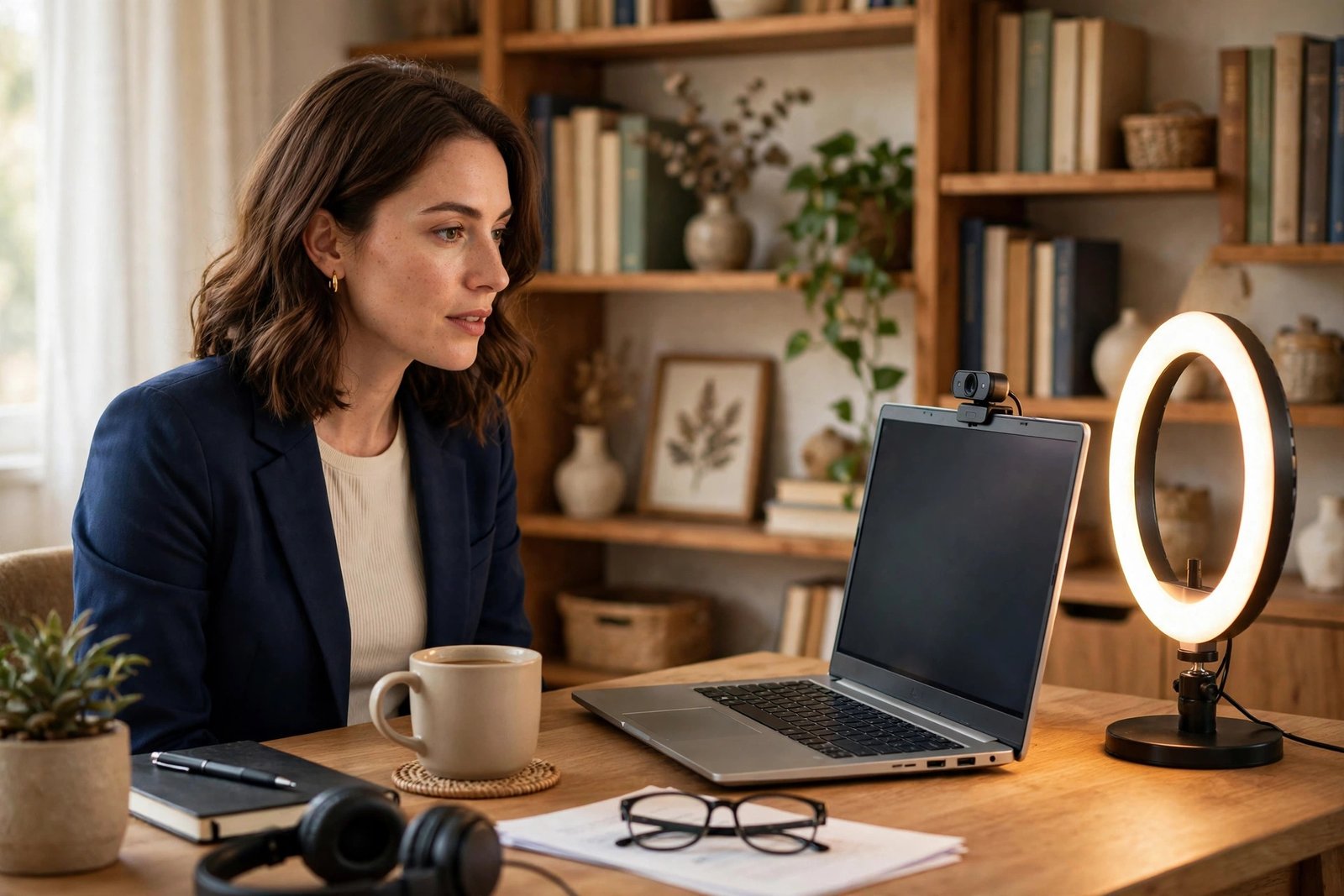
Your setup is your first impression, and it’s entirely controllable. Camera: position it at or slightly above eye level — stack your laptop on books if needed. Looking down into a camera reads as disengaged; eye-level reads as confident. Lighting: face a window or put a lamp behind your camera, facing you. Never sit with a bright window behind you — you’ll be a silhouette. Audio: this matters more than video quality. Use earbuds or a headset with a mic; laptop mics pick up room echo and keyboard noise. Test with a friend beforehand. Background: clean, uncluttered, professional — a plain wall beats a messy room every time. Virtual backgrounds are acceptable but can glitch; a real tidy background is safer.
Software: install and test the platform (Zoom, Teams, Meet) the day before, not ten minutes before. SHRM’s guidance on virtual interviewing notes that technical fluency is now evaluated as part of professionalism itself. Know where mute, camera, and screen-share controls are. Close unnecessary apps and silence notifications — a Slack ping mid-answer shatters focus. Have the interview link, the interviewer’s name and title, and your resume open or printed beside you. And have a backup plan: phone number for the interviewer, phone hotspot ready if wifi drops. AI interview prep platforms let you rehearse on camera and review your own footage — uncomfortable to watch, invaluable for improvement.
Presence on Camera: Adapting Your Communication
Eye contact on video means looking at the camera, not at the faces on screen — which feels unnatural because humans look at faces. Train yourself: when you’re speaking, look at the camera lens; when listening, look at the screen. Place the interviewer’s video window as close to your camera as possible to minimize the visible gap. A small dot or sticky note next to the lens helps anchor your gaze.
Energy needs a 10–15% boost on video — cameras flatten affect, so your normal enthusiasm reads as flat. Sit upright, lean slightly forward, gesture naturally (keep hands visible; hidden hands read as nervous), and smile when greeting. Vocal variety matters more on video since body language is compressed: vary your pace, emphasize key points, and pause deliberately rather than filling silence with “um.” A well-set-up home workspace pays dividends here — if your daily environment is already camera-ready, interview day is just another day.
The notes question
Yes, you can use notes — it’s a genuine video advantage. Keep bullet points (not scripts) on paper beside your keyboard or on a second monitor: your key stories, questions to ask, the role’s requirements. Glancing at notes is fine; reading paragraphs aloud is obvious and kills authenticity. Never type during the interview — keyboard noise is audible and looking down for long stretches breaks connection.
Video-Specific Mistakes to Avoid
Multitasking visibly — your eyes darting to another screen is obvious on camera and reads as disinterest. Poor framing — too close (just a face) feels intense; too far (tiny at a desk) feels distant. Frame from mid-chest up with a little headroom. Touching your face or fidgeting — magnified on camera; keep hands still or gesturing purposefully. Interrupting due to lag — video delay causes accidental talk-overs; pause a beat longer than feels natural before responding. Forgetting you’re on camera during “waiting” moments — stay composed from the second you join until you leave; eye-rolls while muted have ended candidacies.
Dressing only from the waist up is a cliché for a reason — stand-up surprises happen (tech issues, “can you grab…”), and full professional dress puts you in a professional mindset anyway. Dress as you would for the office version of this interview.
Handling Curveballs
Tech failure mid-interview: stay calm and narrate: “I think my audio dropped — let me rejoin.” Have the dial-in number ready. Interviewers judge composure under glitch more than the glitch itself. Panel interviews: address the person who asked, then briefly make “eye contact” (camera) with others when making key points; note names and use them. Recorded one-way interviews (HireVue-style): these feel deeply unnatural — practice with a timer, since answers are usually capped at 2–3 minutes, and treat the camera as a friendly human. Live assessments or screen-shares: think aloud as you work; narrating your reasoning is the point, not just the answer.
Kids, pets, or doorbells: have a plan (partner coverage, closed door, a note on the door), but if it happens, handle it with brief humor and move on. Post-2020, interviewers are human about this — a calm recovery impresses more than perfection would have.
Frequently Asked Questions
Should I look at the camera or the screen?
Camera when speaking (that’s their eye contact), screen when listening. It feels weird for about ten minutes of practice, then becomes natural. This single habit does more for your video presence than anything else.
Is it okay to have notes during a video interview?
Yes — bullet points, not scripts. Notes with your stories, questions, and key facts are a legitimate advantage of the format. Just don’t read verbatim or type audibly.
What should I do if my internet cuts out?
Rejoin immediately via your backup (phone hotspot or dial-in), apologize briefly, and continue. Mention it proactively if you’ll be on unstable wifi — “I’m on hotel wifi, so I may briefly drop” sets expectations and shows professionalism.
What if I need to reschedule the video interview?
Life happens — reschedule as early as possible, with a brief apology and two or three alternative times. One reschedule is normal and easily forgiven; multiple reschedules signal disorganization or low interest. Never no-show a video interview; the scheduling effort was real, and ghosting burns the bridge permanently.
How early should I join the video call?
Join 5 minutes early — enough to settle and test audio/video, not so early the interviewer feels rushed. If you’re the first one there, use the time to breathe and review your bullet points.
Do I need to dress fully professionally for video?
Yes. Dress for the role as if in person — it affects both their perception and your psychology. At minimum: professional top, groomed appearance, and (seriously) real pants. You’ll carry yourself differently.
Video interviews reward preparation more than charisma. Get the technical setup boringly reliable, train the camera-eye-contact habit, boost your energy slightly, keep notes handy, and have a plan for glitches. Do that, and the medium stops being an obstacle — and starts being the advantage it is for candidates who take it seriously. Preparation beats charisma on camera, every time. LinkedIn’s interview preparation resources offer additional video-specific tips worth reviewing before the big day.